

20 AI Photo Commands: अपनी Photo को Professional बनाने के लिए 20 Best AI Prompts
Written By Dilshad AhmadPublished: 12 October 2026 • 10:41 PM IST
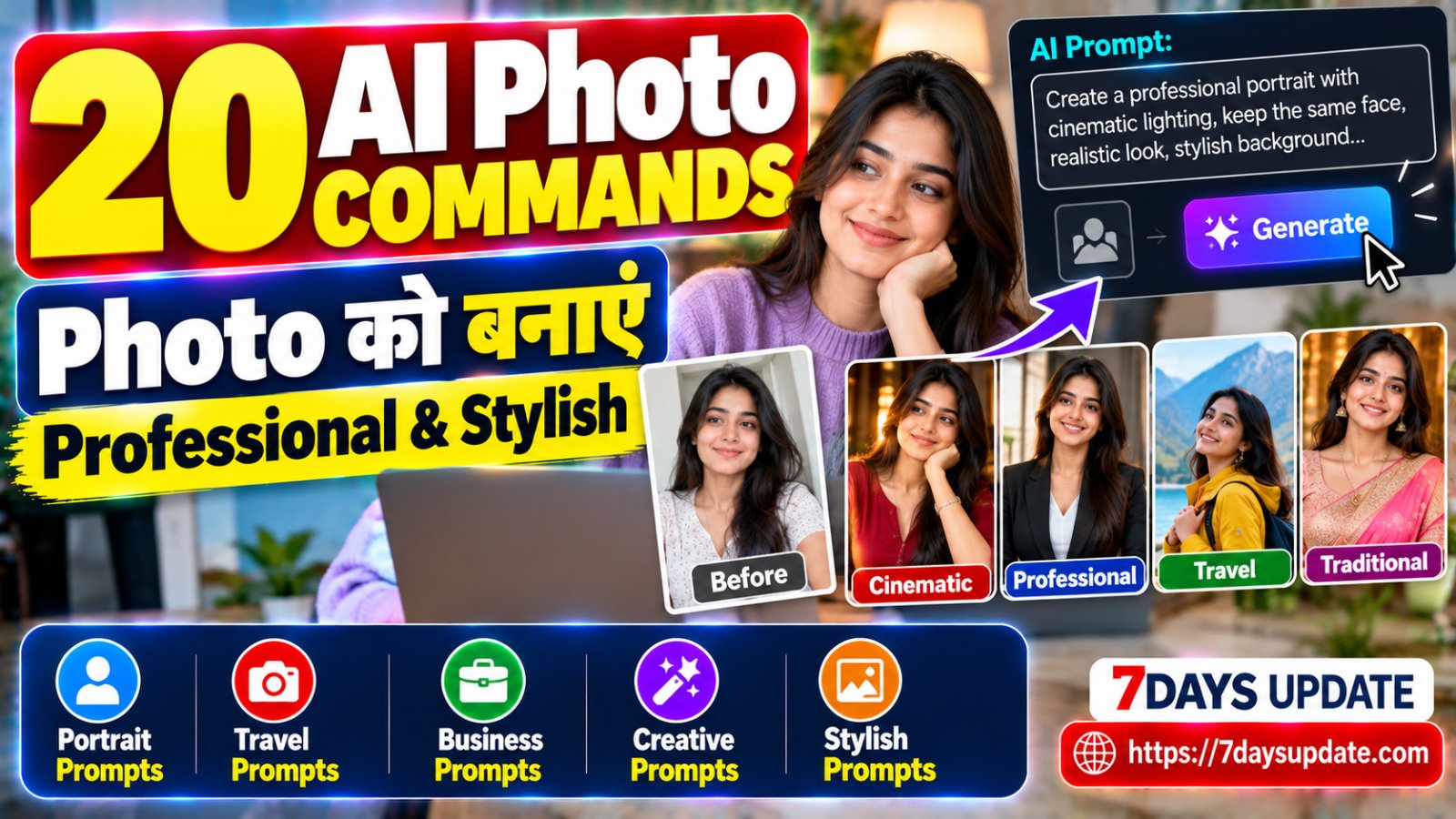
आजकल AI photo editing का मतलब सिर्फ फोटो का background हटाना या brightness बढ़ाना नहीं रह गया है। एक अच्छी photo और सही instruction मिल जाए तो AI आपकी तस्वीर के lighting, background, outfit presentation, camera look और overall mood को पूरी तरह बदल सकता है।
इसी वजह से हमने यहां ऐसे 20 AI photo commands तैयार किए हैं जिन्हें आप अपनी photo के साथ इस्तेमाल करके अलग-अलग looks बना सकते हैं। इन prompts को जानबूझकर एक जैसा नहीं रखा गया है—कहीं professional profile का look है, कहीं cinematic scene, कहीं travel portrait और कहीं premium fashion photography जैसा result पाने की कोशिश की गई है।
इस पोस्ट में आपको क्या मिलेगा?
- 20 अलग-अलग AI photo editing commands
- Portrait और cinematic photo prompts
- Professional और business profile prompts
- Travel और outdoor photography prompts
- Fashion और luxury-style prompts
- हर prompt को अपनी photo के हिसाब से बदलने का तरीका
AI Photo Command क्या होता है?
सरल भाषा में कहें तो AI photo command एक ऐसा instruction है जिसमें आप AI को बताते हैं कि आपकी मौजूदा photo में किस तरह का बदलाव चाहिए। उदाहरण के लिए आप कह सकते हैं कि subject का चेहरा और पहचान वही रहे, लेकिन lighting cinematic हो, background किसी modern city का हो और photo professional camera से ली गई जैसी दिखाई दे।
अच्छा prompt केवल यह नहीं बताता कि “photo सुंदर बनाओ”; वह AI को scene, lighting, mood, camera perspective, background और subject की identity preserve करने जैसी स्पष्ट जानकारी देता है।
एक जरूरी बात: हर AI image tool prompt को अलग तरीके से interpret कर सकता है। इसलिए एक ही command से अलग-अलग tools में बिल्कुल समान result मिलना जरूरी नहीं है। जरूरत के अनुसार prompt के कुछ शब्द बदलना बेहतर result दे सकता है।
1. Cinematic Portrait Command
अगर आपकी सामान्य portrait photo को movie-style cinematic look देना है तो यह command इस्तेमाल कर सकते हैं:
"Transform this photo into a cinematic professional portrait. Keep the person's face, identity, facial features, hairstyle and natural skin texture unchanged. Add dramatic but realistic cinematic lighting, soft background separation, subtle depth of field, natural shadows, premium color grading and a high-end movie still atmosphere. Keep the result photorealistic and avoid changing the person's identity."
यह prompt खासतौर पर profile या social media portrait को थोड़ा dramatic बनाने के लिए उपयोगी हो सकता है।
2. Professional LinkedIn Photo Command
"Turn this image into a clean professional corporate headshot. Preserve the person's exact facial identity and natural appearance. Use a sophisticated office-style background with soft neutral lighting, sharp facial focus, realistic skin texture, subtle depth of field and professional business photography. Keep the clothing realistic and elegant without making the image look artificial."
यह command job profile, LinkedIn या professional introduction photo के लिए उपयोग किया जा सकता है।
3. Luxury Fashion Portrait Command
"Create a premium luxury fashion portrait from this photo while preserving the person's identity, face and natural proportions. Add sophisticated studio lighting, elegant styling, subtle reflections, a high-end editorial background and refined fashion-magazine photography aesthetics. Keep the skin realistic, facial details natural and the final image photorealistic."
इससे सामान्य portrait को editorial fashion photography जैसा mood दिया जा सकता है।
4. Rainy Street Portrait Command
"Place the person from this photo in a realistic rainy evening city street scene. Preserve the exact face and identity. Add soft reflections on the wet road, subtle rain droplets, realistic street lights, atmospheric depth, natural shadows and cinematic evening lighting. Make the scene believable and photorealistic rather than heavily edited."
5. Travel Photography Command
"Transform this portrait into a realistic premium travel photograph. Keep the person's face, identity and natural appearance unchanged. Place the person in a beautiful travel destination with realistic environmental lighting, natural perspective, subtle background blur, authentic travel atmosphere and professional outdoor photography. Avoid artificial-looking scenery."
Destination को बदलने के लिए prompt में “beautiful travel destination” की जगह किसी specific जगह का नाम जोड़ सकते हैं।
6. Golden Hour Photo Command
"Enhance this portrait with a natural golden-hour sunset atmosphere. Preserve the person's exact facial features and identity. Add warm sunlight from the side, realistic soft shadows, subtle lens glow, natural skin tones, gentle background blur and professional outdoor photography quality. Keep the effect realistic and not overly orange."
7. Black and White Editorial Command
"Convert this portrait into a timeless black-and-white editorial photograph. Preserve the person's identity, facial structure and natural skin texture. Use strong but balanced studio lighting, detailed shadows, realistic highlights, clean composition and classic magazine photography aesthetics. Keep the image elegant, sharp and photorealistic."
8. Studio Photoshoot Command
"Turn this image into a professional studio photoshoot. Keep the person's face and identity unchanged. Add controlled studio lighting, a clean premium backdrop, realistic shadows, detailed facial texture, balanced exposure and professional portrait photography composition. Make the result look like it was captured with a high-end professional camera."
9. Smart Casual Instagram Portrait
"Create a modern smart-casual social media portrait using this photo. Preserve the person's exact identity and natural facial features. Improve the composition, lighting and background while keeping the result realistic. Add a stylish urban environment, subtle depth of field, clean color balance and premium lifestyle photography aesthetics."
10. Traditional Indian Portrait Command
"Transform this photo into an elegant traditional Indian portrait. Preserve the person's exact face, identity and natural appearance. Add a tasteful traditional Indian environment, warm ambient lighting, realistic fabric details, subtle decorative elements and premium portrait photography. Keep the styling authentic, sophisticated and photorealistic."
11. Airport Travel Look Command
"Create a realistic premium airport travel portrait from this photo. Keep the person's face and identity unchanged. Place the person naturally inside a modern international airport with subtle background activity, realistic lighting, travel atmosphere, clean composition and professional lifestyle photography. Avoid fake logos and unrealistic text."
12. Night City Portrait Command
"Transform this photo into a realistic night-time city portrait. Preserve the person's identity and facial details. Add natural city lights, subtle reflections, realistic low-light exposure, soft background bokeh and cinematic urban atmosphere. Keep the face properly illuminated and the final result photorealistic."
13. Minimalist Profile Photo Command
"Create a clean minimalist profile portrait from this image. Keep the person's face, identity and natural appearance unchanged. Use a simple elegant background, soft diffused lighting, accurate skin tones, sharp facial focus and balanced composition. Remove distracting background elements without making the image look artificially generated."
14. Magazine Cover Style Command
"Transform this portrait into a high-end fashion magazine editorial photograph. Preserve the person's exact facial identity and natural proportions. Use sophisticated studio lighting, premium styling, clean composition, realistic textures and subtle cinematic color grading. Keep the result photorealistic and avoid adding any recognizable brand logos or copyrighted design elements."
15. Mountain Adventure Command
"Place the person from this photo in a realistic mountain adventure environment. Preserve the exact facial identity and natural proportions. Add dramatic mountain scenery, natural daylight, atmospheric depth, realistic clothing details and professional outdoor photography. Make the person's position and lighting match the environment naturally."
16. Luxury Car Lifestyle Command
"Create a premium lifestyle photograph using this portrait, placing the person naturally beside a modern luxury vehicle. Preserve the person's face and identity. Use realistic evening lighting, sophisticated surroundings, subtle reflections, cinematic depth of field and professional automotive lifestyle photography. Do not add recognizable brand logos."
17. Coffee Shop Lifestyle Command
"Transform this photo into a natural modern coffee-shop lifestyle portrait. Keep the person's exact identity and facial features. Place the person in a cozy contemporary café with realistic window light, shallow depth of field, natural body posture, authentic surroundings and warm lifestyle photography aesthetics. Avoid artificial-looking hands and facial changes."
18. Rainy Window Portrait Command
"Create an emotional cinematic portrait with the person standing near a rain-covered window. Preserve the exact facial identity and natural skin texture. Add realistic raindrops on the glass, soft natural window lighting, subtle reflections, shallow depth of field and moody cinematic atmosphere. Keep the scene believable and photorealistic."
19. Premium Black Suit Portrait
"Create a sophisticated formal portrait from this image. Preserve the person's exact face and identity while giving the outfit a realistic premium black formal-suit appearance. Use elegant studio lighting, subtle shadows, dark refined background, sharp facial focus and luxury editorial photography aesthetics. Keep body proportions and facial structure natural."
20. Ultra Natural Professional Camera Command
"Enhance this photo as if it was captured with a professional full-frame camera and a high-quality portrait lens. Preserve the person's exact identity, facial structure, natural skin texture and authentic appearance. Improve lighting, exposure, sharpness, depth of field and background separation while keeping everything realistic. Do not over-smooth the skin, change facial features or create an artificial AI-generated appearance."
इन AI Photo Commands को अपने हिसाब से कैसे बदलें?
ऊपर दिए गए prompts को ज्यों का त्यों इस्तेमाल करना जरूरी नहीं है। वास्तव में अच्छे परिणाम के लिए आप उनमें अपनी जरूरत के अनुसार कुछ हिस्से बदल सकते हैं।
उदाहरण के लिए अगर आपको किसी खास जगह की photo बनानी है तो “beautiful travel destination” की जगह “a realistic European street in Paris during golden hour” जैसा description दे सकते हैं। इसी तरह lighting, outfit, background, weather और mood भी बदला जा सकता है।
| क्या बदलना है? | Prompt में क्या जोड़ें? |
|---|---|
| Background | modern city, beach, mountain, office, café |
| Lighting | golden hour, soft studio light, dramatic light |
| Mood | cinematic, elegant, energetic, calm |
| Photography | editorial, portrait, lifestyle, professional camera |
| Weather | rainy evening, sunny morning, cloudy atmosphere |
AI Photo Edit में Face Same रखने के लिए क्या लिखें?
अगर आप अपनी existing photo को edit कर रहे हैं और चाहते हैं कि व्यक्ति पहचान में वही रहे, तो prompt में identity preservation को स्पष्ट करना उपयोगी होता है। जैसे:
"Preserve the person's exact identity, facial features, facial proportions, hairstyle and natural skin texture. Do not change the person's face."
इसी तरह अगर आप नहीं चाहते कि AI फोटो को जरूरत से ज्यादा smooth करे तो “Keep natural skin texture and realistic facial details” जैसी instruction जोड़ सकते हैं।
AI Photo Prompt में Negative Instructions क्यों उपयोगी हैं?
कभी-कभी AI photo editing के दौरान चेहरे, हाथ, कपड़े या background में अनचाहे बदलाव कर सकता है। इसलिए कुछ prompts में आप यह भी स्पष्ट कर सकते हैं कि क्या नहीं बदलना है।
"Do not change facial identity, do not distort hands, do not add extra fingers, do not over-smooth the skin, do not create unrealistic eyes, do not add random text or logos, and keep the final image photorealistic."
हालांकि हर AI tool negative prompt को अलग तरह से समझ सकता है, इसलिए जरूरत के अनुसार wording बदलना सामान्य बात है।
एक ही Photo से कई अलग Looks कैसे बनाएं?
अगर आपके पास एक अच्छी portrait photo है तो आपको हर बार नया prompt शुरू से लिखने की जरूरत नहीं है। पहले एक base instruction तैयार करें जिसमें व्यक्ति की identity preserve करने की बात हो, फिर केवल background, lighting, outfit, mood और photography style बदलते जाएं।
उदाहरण के लिए उसी photo को पहले cinematic portrait, फिर business headshot, फिर travel portrait और आखिर में black-and-white editorial photo में बदल सकते हैं। इससे आपको अलग-अलग social media profiles या creative projects के लिए कई visual variations मिल सकती हैं।
AI से Photo Edit करते समय इन बातों का ध्यान रखें
- दूसरे व्यक्ति की photo बिना अनुमति के गलत या भ्रामक तरीके से edit न करें।
- किसी व्यक्ति की पहचान बदलकर misleading content न बनाएं।
- Official documents, IDs या certificates की वास्तविक जानकारी बदलने के लिए AI editing का इस्तेमाल न करें।
- AI-generated photo को जरूरत पड़ने पर AI-edited या generated बताना बेहतर है, खासकर जब context में वास्तविकता महत्वपूर्ण हो।
- Private या sensitive photos किसी AI service पर upload करने से पहले उसकी privacy policy और data handling समझ लें।
- अगर photo commercial काम में इस्तेमाल करनी है तो संबंधित AI tool की licensing और usage terms जांचें।
क्या ये prompts हर AI Photo Tool में काम करेंगे?
इन commands को सामान्य image-editing और image-generation AI systems के लिए natural language में लिखा गया है। लेकिन अलग-अलग platforms में image upload, reference image, editing strength, aspect ratio और prompt handling की सुविधाएं अलग हो सकती हैं।
इसलिए अगर पहली कोशिश में result बिल्कुल वैसा न आए जैसा आपने सोचा था, तो prompt को थोड़ा छोटा करके फिर इस्तेमाल करें और केवल एक या दो variables बदलें। एक साथ बहुत सारे बदलाव करने की बजाय धीरे-धीरे instruction बदलना अक्सर ज्यादा practical रहता है।
निष्कर्ष
AI photo editing में सबसे जरूरी चीज सिर्फ कोई एक “magic prompt” नहीं है। बेहतर result के लिए clear instruction + सही reference photo + specific scene description + realistic lighting + identity preservation का combination ज्यादा महत्वपूर्ण होता है।
ऊपर दिए गए 20 AI photo commands को आप starting point की तरह इस्तेमाल कर सकते हैं और फिर अपनी जरूरत के अनुसार location, outfit, lighting, camera style या mood बदल सकते हैं। इस तरह एक ही original photo से कई अलग और creative visual styles तैयार किए जा सकते हैं।
Quick Tip: अगर आपका AI tool image upload की सुविधा देता है, तो पहले अपनी साफ और अच्छी-quality photo upload करें, फिर prompt में यह स्पष्ट करें कि कौन-सी चीज बदलनी है और कौन-सी चीज बिल्कुल same रखनी है। इससे अनावश्यक बदलाव कम करने में मदद मिल सकती है।
FAQs
क्या AI photo command को copy-paste कर सकते हैं?
हां। आप prompts को copy करके अपने इस्तेमाल किए जा रहे AI image tool में डाल सकते हैं। बेहतर result के लिए location, outfit और background जैसी details अपने हिसाब से बदलें।
AI मेरी photo का चेहरा बदल दे तो क्या करें?
Prompt में स्पष्ट रूप से लिखें कि person's exact identity, facial features और natural proportions preserve किए जाएं। साथ ही किसी tool में उपलब्ध identity/reference-image controls का इस्तेमाल किया जा सकता है।
क्या इन prompts से realistic photo बन सकती है?
कई AI tools realistic results दे सकते हैं, लेकिन output tool, original image और prompt interpretation पर निर्भर करता है। एक ही prompt से हर बार बिल्कुल समान परिणाम मिलना जरूरी नहीं है।
क्या मैं इन prompts को अपनी जरूरत के अनुसार बदल सकता हूं?
बिल्कुल। वास्तव में यही बेहतर तरीका है। Background, lighting, location, clothes, mood और photography style को अपनी जरूरत के अनुसार बदलकर prompt को अधिक specific बनाया जा सकता है।