
LPG eKYC 2026: Indane, Bharatgas और HP Gas की eKYC Online कैसे करें? Direct Link
Written By Dilshad AhmadPublished: 05 October 2026 • 11:03 PM IST
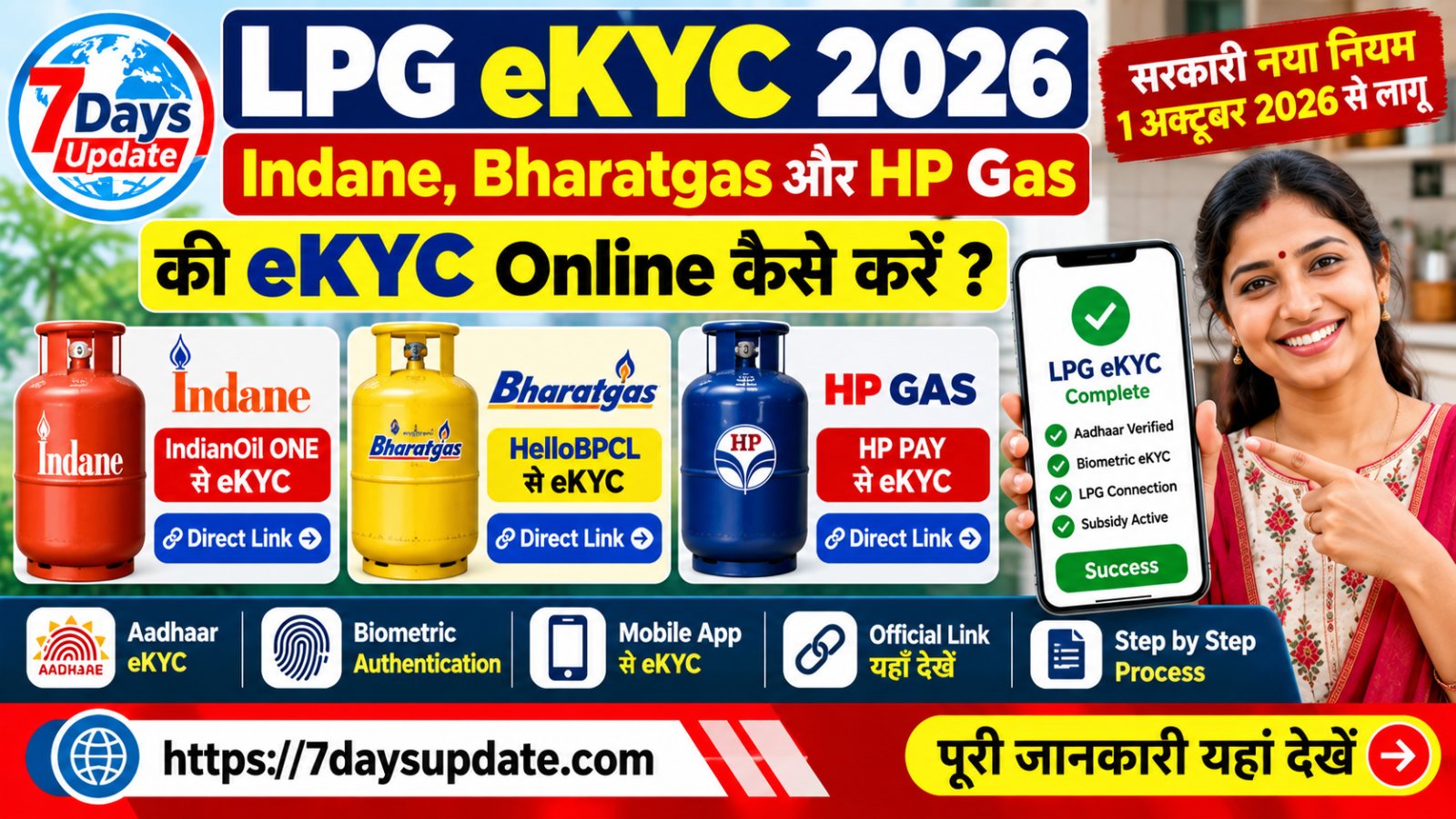
LPG eKYC 2026: Indane, Bharatgas और HP Gas की Online eKYC
अगर आपके घर में Indane, Bharatgas या HP Gas का domestic LPG connection है, तो LPG eKYC और Aadhaar Authentication से जुड़ी प्रक्रिया आपके लिए महत्वपूर्ण है। सरकार ने 1 अक्टूबर 2026 से subsidised domestic LPG refill के लिए Biometric Aadhaar Authentication को लागू किया है। जिन ग्राहकों की authentication पहले से पूरी है, उन्हें दोबारा करने की आवश्यकता नहीं है।
LPG eKYC घर बैठे संबंधित Oil Marketing Company के official mobile app के माध्यम से की जा सकती है। Indane ग्राहकों के लिए IndianOil ONE, Bharatgas ग्राहकों के लिए HelloBPCL और HP Gas ग्राहकों के लिए HP PAY का उपयोग किया जा सकता है। 1
1 अक्टूबर 2026 से regulated retail selling price पर applicable subsidy के साथ domestic LPG refill booking के लिए Biometric Aadhaar Authentication जरूरी है। जिन ग्राहकों ने BAA पहले ही पूरा कर लिया है, उन्हें इसे दोबारा करने की जरूरत नहीं है। 2
Indane, Bharatgas और HP Gas eKYC के Direct Official Links
नीचे तीनों LPG कंपनियों के official portal और घर बैठे eKYC के लिए official mobile app के links दिए गए हैं। जहां company ने अलग web-based eKYC URL के बजाय mobile app के माध्यम से self eKYC बताया है, वहां सीधे official app/portal का link दिया गया है।
| LPG Company | Official Portal | eKYC का Official तरीका |
|---|---|---|
| Indane | IndianOil Customer Portal | IndianOil ONE App |
| Bharatgas | Bharatgas Official Portal | HelloBPCL App |
| HP Gas | HP Gas Official Portal | HP PAY App |
घर बैठे LPG eKYC के Direct Official Options
| कंपनी | Direct eKYC के लिए Official App | कैसे करें |
|---|---|---|
| Indane | IndianOil ONE | Official IndianOil ONE app खोलकर LPG/eKYC से संबंधित उपलब्ध option चुनें। |
| Bharatgas | HelloBPCL | HelloBPCL में LPG consumer account से संबंधित eKYC/Aadhaar authentication option उपलब्ध होने पर उसे चुनें। |
| HP Gas | HP PAY | HP PAY app में LPG account के अंदर उपलब्ध eKYC/Aadhaar authentication सुविधा का उपयोग करें। |
सरकारी PMUY portal भी self face-based biometric Aadhaar authentication के लिए संबंधित Oil Company mobile app के साथ Aadhaar FaceRD app का उपयोग करने की जानकारी देता है। 3
Indane LPG eKYC कैसे करें?
Step 1: IndianOil ONE App खोलें
Indane LPG customer अपने official IndianOil ONE mobile app का उपयोग कर सकते हैं। App में LPG consumer account से login करें।
Step 2: LPG/eKYC Option देखें
App में LPG services के अंदर Aadhaar Authentication या eKYC से संबंधित उपलब्ध option चुनें।
Step 3: Aadhaar Authentication पूरा करें
App द्वारा मांगी गई permission और instructions को follow करें। Face-based biometric authentication के लिए Aadhaar FaceRD app की आवश्यकता हो सकती है।
Step 4: eKYC Confirmation देखें
Authentication सफल होने के बाद app में उपलब्ध status या confirmation message को check करें।
Bharatgas eKYC कैसे करें?
Bharatgas customers घर बैठे eKYC के लिए HelloBPCL app का उपयोग कर सकते हैं। सरकार द्वारा 2026 में Bharatgas customers के लिए HelloBPCL को self-authentication option के रूप में बताया गया है। 4
पहले official Bharatgas portal पर जाएं या HelloBPCL app खोलें और अपने LPG consumer account से संबंधित services में उपलब्ध Aadhaar/eKYC option देखें।
इसके बाद app में दिखाई गई instructions के अनुसार biometric Aadhaar authentication पूरा करें।
HP Gas eKYC कैसे करें?
HP Gas customers घर बैठे HP PAY app के माध्यम से eKYC/Aadhaar authentication की प्रक्रिया पूरी कर सकते हैं। सरकार ने HP Gas customers के लिए HP PAY को self-authentication के विकल्प के रूप में बताया है। 5
HP Gas के official customer portal myhpgas.in से भी LPG services और account-related information access की जा सकती है।
Biometric LPG eKYC के लिए क्या चाहिए?
- Active LPG consumer connection
- Aadhaar number
- Aadhaar authentication के लिए आवश्यक mobile/device access
- Official LPG company mobile app
- Face authentication के लिए आवश्यक Aadhaar FaceRD app, जहां लागू हो
क्या LPG eKYC घर बैठे Free में कर सकते हैं?
सरकार द्वारा घर बैठे self eKYC की सुविधा उपलब्ध कराई गई है। इसके लिए संबंधित OMC का official mobile app इस्तेमाल किया जा सकता है। PMUY की official eKYC page पर भी self face-based biometric Aadhaar authentication की प्रक्रिया दी गई है। 6
LPG eKYC Online नहीं हो रही है तो क्या करें?
अगर mobile से authentication नहीं हो पा रही है, तो LPG distributor के showroom पर जाकर eKYC कराई जा सकती है। सरकार ने delivery के समय भी OMC mobile application के माध्यम से authentication की सुविधा बताई है। 7
इसलिए केवल online process fail होने पर LPG connection बंद होने की चिंता न करें। अपने distributor से संपर्क करके alternative authentication option के बारे में जानकारी लें।
LPG eKYC से जुड़ी जरूरी Official Websites
| Official Website / Service | Direct Link |
|---|---|
| Indane / IndianOil Customer Portal | Open Direct Link |
| Bharatgas Customer Portal | Open Direct Link |
| HP Gas Customer Portal | Open Direct Link |
| PM Ujjwala Yojana eKYC | Open eKYC Page |
| PM Ujjwala Yojana Official Portal | Open Official Website |
LPG eKYC के लिए Helpline Number
| सेवा | Number |
|---|---|
| LPG Emergency | 1906 |
| Ujjwala Helpline | 1800-266-6696 |
| Ujjwala Helpline / PMUY | 14438 |
सावधानी: LPG eKYC के नाम पर Fraud से बचें
LPG eKYC के नाम पर किसी अनजान व्यक्ति को Aadhaar number, OTP, UPI PIN, ATM PIN या bank details न बताएं।
eKYC के लिए केवल IndianOil, Bharatgas, HP Gas और PMUY के official portals/apps का उपयोग करें।
किसी WhatsApp message या unknown website पर मिले APK को install न करें। Mobile app केवल official app store या संबंधित सरकारी/कंपनी website से ही प्राप्त करें।
FAQs
LPG eKYC किन लोगों को करनी है?
जिन LPG consumers की Biometric Aadhaar Authentication अभी पूरी नहीं हुई है, उनके लिए यह प्रक्रिया महत्वपूर्ण है। जिन consumers की authentication पहले से पूरी हो चुकी है, उन्हें दोबारा करने की आवश्यकता नहीं है। 8
क्या Indane की eKYC online हो सकती है?
हां, Indane customers घर से IndianOil ONE app के माध्यम से उपलब्ध self eKYC/Aadhaar authentication सुविधा का उपयोग कर सकते हैं।
क्या Bharatgas की eKYC online हो सकती है?
Bharatgas customers के लिए HelloBPCL app के माध्यम से self authentication का विकल्प उपलब्ध कराया गया है। 9
क्या HP Gas की eKYC online हो सकती है?
HP Gas customers के लिए HP PAY app के माध्यम से self authentication का विकल्प उपलब्ध कराया गया है। 10
क्या eKYC के लिए distributor के पास जाना जरूरी है?
हर customer को distributor के पास जाना जरूरी नहीं है। सरकार ने home-based self authentication के साथ delivery के समय और distributor showroom पर authentication के विकल्प भी बताए हैं। 11
निष्कर्ष
LPG eKYC 2026 के लिए सबसे आसान तरीका संबंधित LPG company का official mobile app इस्तेमाल करना है। Indane के लिए IndianOil ONE, Bharatgas के लिए HelloBPCL और HP Gas के लिए HP PAY का उपयोग किया जा सकता है।
ऊपर दिए गए table में हमने Indane, Bharatgas, HP Gas और PMUY के official links एक जगह दिए हैं ताकि user सीधे सही portal पर पहुंच सके और किसी fake website से बच सके।
यह जानकारी सरकारी और संबंधित LPG company के उपलब्ध official sources के आधार पर तैयार की गई है। eKYC की उपलब्धता, authentication process और अन्य नियम समय के साथ बदल सकते हैं। eKYC करने से पहले संबंधित official portal/app पर latest instructions जरूर देखें।