

PM Awas Yojana Urban 2.0 Status 2026: Application Status कैसे Check करें?
Written By Dilshad AhmadPublished: 08 October 2026 • 04:03 PM IST
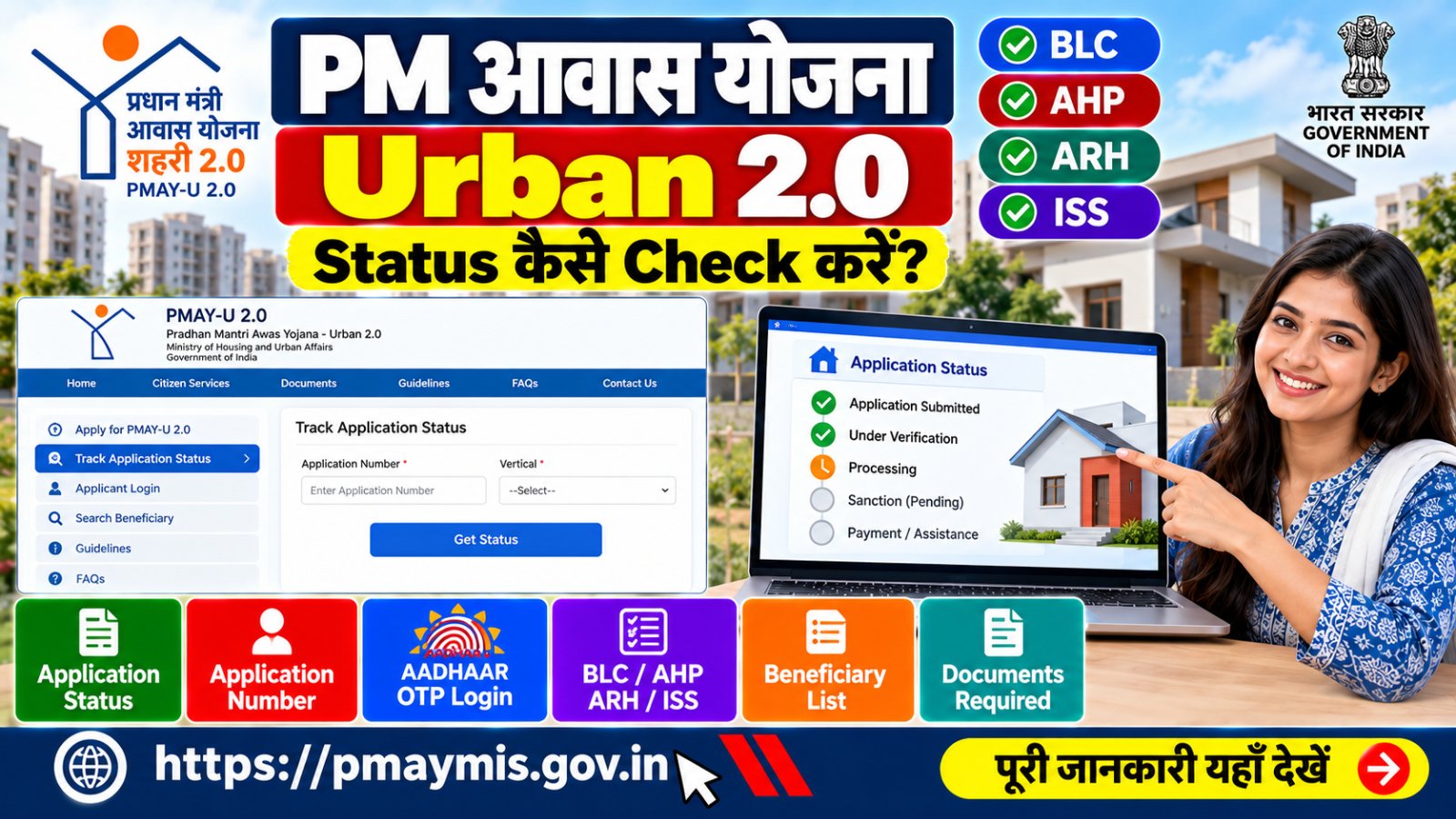
PM Awas Yojana Urban 2.0 Status 2026 check करने के लिए अब आवेदक को अपने आवेदन की स्थिति जानने के लिए official PMAY-U 2.0 portal का इस्तेमाल करना चाहिए। अगर आपने Pradhan Mantri Awas Yojana Urban 2.0 के तहत घर के लिए आवेदन किया है, तो आप अपने application से जुड़ी उपलब्ध जानकारी और processing status online देख सकते हैं।
PMAY-U 2.0 में application अलग-अलग verticals जैसे BLC, AHP, ARH और ISS के अंतर्गत हो सकता है। इसलिए status में दिखाई देने वाली जानकारी आपके application और संबंधित vertical पर निर्भर कर सकती है।
PM Awas Yojana Urban 2.0 Status क्या है?
PMAY-U 2.0 यानी Pradhan Mantri Awas Yojana - Urban 2.0 urban areas में eligible families को affordable housing से जुड़ी सहायता देने वाली योजना है। इसके तहत eligible applicants के लिए अलग-अलग housing verticals के माध्यम से आवेदन और processing की जाती है।
आवेदन करने के बाद सबसे जरूरी सवाल होता है कि PM Awas Yojana Urban 2.0 application का status क्या है? क्या application submit हुआ है, verification में है या आगे processing के लिए भेजा गया है। इसके लिए official PMAY-U 2.0 portal पर application tracking facility उपलब्ध है।
PM Awas Yojana Urban 2.0 Status कैसे Check करें?

PMAY-U 2.0 application status check करने के लिए नीचे दिए गए steps follow करें:
- सबसे पहले official PMAY-U 2.0 website खोलें।
- Citizen Services या Track Application Status से संबंधित option चुनें।
- Portal पर मांगी गई applicant/application details दर्ज करें।
- जहां Aadhaar authentication की आवश्यकता हो, वहां Aadhaar number और OTP के माध्यम से verification पूरा करें।
- Submit/Track option पर क्लिक करें।
- इसके बाद आपके application से संबंधित उपलब्ध status screen पर दिखाई देगा।
Application और scheme से जुड़ी services के लिए केवल official government portal का इस्तेमाल करें।
PM Awas Yojana Urban 2.0 Status Check करने के लिए क्या चाहिए?
Status check करते समय portal पर application के अनुसार अलग-अलग details मांगी जा सकती हैं। इसलिए आवेदन करते समय प्राप्त जानकारी को सुरक्षित रखना जरूरी है।
| जानकारी | क्यों जरूरी हो सकती है? |
|---|---|
| Application Number | Application को identify करने के लिए |
| Aadhaar Details | Applicant authentication के लिए |
| Registered Mobile Number | OTP या application-related verification के लिए |
| Application/Registration Details | Submitted application को track करने के लिए |
PMAY-U 2.0 में Application Status में क्या दिख सकता है?
Portal पर application की processing के अनुसार अलग-अलग information दिखाई दे सकती है। उदाहरण के तौर पर applicant का नाम, application number, date of birth, gender, mobile number, selected vertical और application submission date जैसी details application record में दिखाई जा सकती हैं।
Application की स्थिति verification और processing के अलग-अलग stages से गुजर सकती है। इसलिए status को देखकर तुरंत यह निष्कर्ष नहीं निकालना चाहिए कि घर की final sanction या financial assistance निश्चित हो गई है।
Application Submitted
इसका अर्थ सामान्य रूप से यह होता है कि application portal पर submit हो चुका है। इसके बाद application की आगे की processing संबंधित authority और scheme requirements के अनुसार हो सकती है।
Verification / Processing
इस stage में application से जुड़ी information और eligibility की जांच संबंधित implementing agency/authority द्वारा की जा सकती है। Exact processing stage portal पर उपलब्ध information के अनुसार देखनी चाहिए।
Sanction से जुड़ी स्थिति
Eligible application के लिए आगे sanction और assistance की processing scheme के rules, verification और संबंधित authority की approval पर निर्भर करती है।
PM Awas Yojana Urban 2.0 के चार Vertical कौन से हैं?
PMAY-U 2.0 को चार प्रमुख verticals के माध्यम से लागू किया जा रहा है। इसलिए आपका application किस category में आता है, यह status समझने में महत्वपूर्ण हो सकता है।
| Vertical | नाम |
|---|---|
| BLC | Beneficiary Led Construction |
| AHP | Affordable Housing in Partnership |
| ARH | Affordable Rental Housing |
| ISS | Interest Subsidy Scheme |
PM Awas Yojana Urban 2.0 Application Number कैसे पता करें?
अगर आपने online application किया था तो application submit होने के बाद मिलने वाली application/registration information को सुरक्षित रखें। कई मामलों में applicant login में submitted application की जानकारी दिखाई जा सकती है।
PMAY-U 2.0 के official beneficiary user manual में applicant login के माध्यम से Aadhaar number और Aadhaar के अनुसार नाम डालकर OTP generate करने तथा submitted application देखने की प्रक्रिया बताई गई है।
Aadhaar OTP से PMAY-U 2.0 Application कैसे देखें?
- Official PMAY-U 2.0 portal खोलें।
- Applicant Login से संबंधित option चुनें।
- Aadhaar number दर्ज करें।
- Aadhaar के अनुसार applicant का नाम दर्ज करें।
- Generate OTP पर क्लिक करें।
- OTP दर्ज करके Submit करें।
- Portal पर उपलब्ध submitted application details देखें।
Aadhaar OTP किसी व्यक्ति, एजेंट या अनजान website के साथ share न करें। Status check के लिए केवल official PMAY-U 2.0 portal का उपयोग करें।
PM Awas Yojana Urban 2.0 Status Update नहीं हो रहा है तो क्या करें?
कई बार application submit करने के बाद तुरंत हर stage की जानकारी दिखाई देना जरूरी नहीं है। अगर status लंबे समय से नहीं बदल रहा है तो पहले application details दोबारा check करें।
- Application number/details सही दर्ज करें।
- Applicant Login में submitted application देखें।
- Application में registered mobile/Aadhaar details की जांच करें।
- अपने नगर निकाय/ULB से application की processing के बारे में जानकारी लें।
- जरूरत पड़ने पर PMAY-U 2.0 official support से संपर्क करें।
PM Awas Yojana Urban 2.0 List और Status में क्या अंतर है?
Application Status किसी particular applicant के submitted application की स्थिति जानने के लिए होता है, जबकि Beneficiary/List में approved या published beneficiary information अलग तरीके से उपलब्ध हो सकती है।
इसलिए अगर आपका उद्देश्य सिर्फ यह जानना है कि आपका application किस stage पर है, तो पहले Track Application Status का इस्तेमाल करें। केवल नाम से किसी list में नाम नहीं मिलने का मतलब यह जरूरी नहीं कि आपका application automatically rejected है।
PMAY-U 2.0 Status Check के लिए Important Links
| Service | Official Link |
|---|---|
| PMAY-U 2.0 Official Portal | Open Official Portal |
| Track Application Status | Check Status |
| PMAY-U 2.0 FAQ | Official FAQ |
| PMAY-U 2.0 Scheme Guidelines | View Guidelines |
| PMAY-U Official Website | Visit Website |
PM Awas Yojana Urban 2.0 Status Check करते समय ध्यान रखें
- केवल official government website का इस्तेमाल करें।
- Aadhaar OTP किसी अनजान व्यक्ति को न बताएं।
- Application number और submitted application की details सुरक्षित रखें।
- किसी व्यक्ति को केवल status check करने के नाम पर अनावश्यक payment न करें।
- WhatsApp या social media पर मिले unknown PMAY links पर Aadhaar details न डालें।
- Application status और final sanction को एक ही चीज न समझें।
PM Awas Yojana Urban 2.0 Status: FAQs
PM Awas Yojana Urban 2.0 status कहाँ check करें?
PMAY-U 2.0 के official portal पर application tracking facility से status check किया जा सकता है।
PMAY-U 2.0 status check करने के लिए Application Number जरूरी है?
Application tracking के लिए portal पर उपलब्ध method के अनुसार application-related details की आवश्यकता हो सकती है। Applicant Login में Aadhaar authentication के माध्यम से submitted application भी देखा जा सकता है।
PMAY Urban 2.0 में status Submitted दिख रहा है तो क्या करें?
Submitted का अर्थ application portal पर submit होने से संबंधित है। आगे की processing संबंधित verification और scheme requirements के अनुसार होती है।
क्या PMAY-U 2.0 application का status mobile से check कर सकते हैं?
हाँ, official PMAY-U 2.0 portal mobile-friendly है। Mobile browser से भी official portal access किया जा सकता है।
PMAY-U 2.0 में BLC और ISS क्या हैं?
BLC का मतलब Beneficiary Led Construction और ISS का मतलब Interest Subsidy Scheme है। PMAY-U 2.0 में इनके अलावा AHP और ARH भी scheme verticals हैं।
Status update नहीं हो रहा है तो क्या करें?
Application details दोबारा check करें और जरूरत होने पर संबंधित Urban Local Body/implementing agency या official PMAY-U 2.0 support से संपर्क करें।
निष्कर्ष
PM Awas Yojana Urban 2.0 Status 2026 check करने के लिए सबसे सुरक्षित तरीका official PMAY-U 2.0 portal का इस्तेमाल करना है। Application number, Aadhaar authentication और submitted application की details के आधार पर उपलब्ध status देखा जा सकता है।
अगर आपका application BLC, AHP, ARH या ISS में है, तो processing और status की जानकारी उसी vertical और संबंधित verification process के अनुसार बदल सकती है। इसलिए किसी third-party website पर दिखाई गई जानकारी के बजाय official PMAY-U 2.0 portal को प्राथमिक source मानें।