5 Best Ad Networks for Publishers & Advertisers: MGID, AdsKeeper, Clickadu, Infolinks और Taboola
Written By Dilshad AhmadPublished: 31 October 2026 • 11:03 PM IST
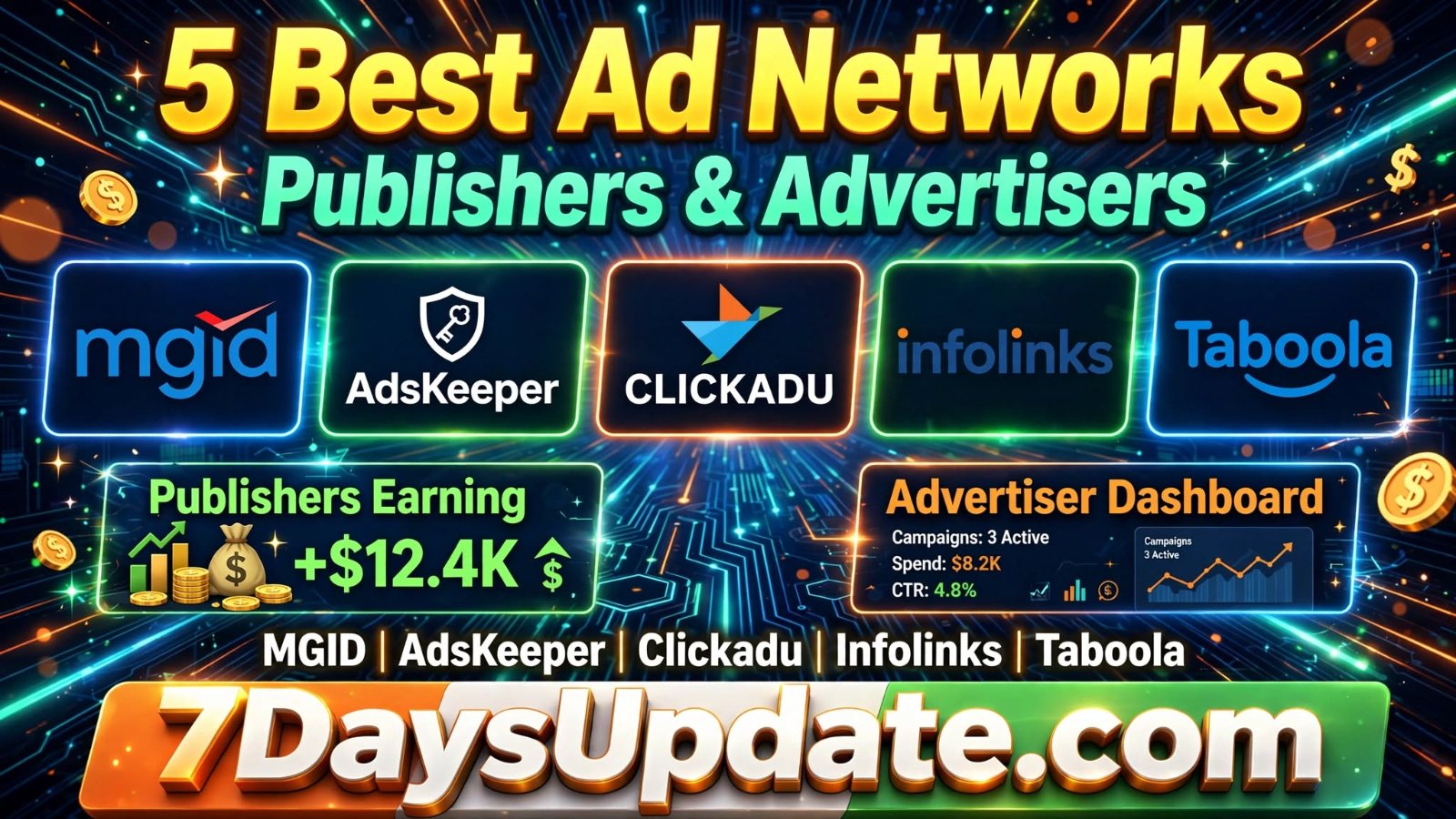
MGID, AdsKeeper, Clickadu, Infolinks और Taboola क्या हैं? जानें Publisher और Advertiser Registration का पूरा तरीकाअगर आपकी कोई website या blog है और आप Google AdSense के अलावा किसी दूसरे ad network से भी earning करना चाहते हैं, तो आपने MGID, AdsKeeper, Clickadu, Infolinks और Taboola के नाम जरूर सुने होंगे। ये सभी advertising platforms हैं, जहां website owners अपनी audience को ads दिखाकर revenue generate कर सकते हैं। वहीं अगर आपका कोई business, mobile app, product या website है और आप उस पर ज्यादा visitors लाना चाहते हैं, तो आप इनमें Advertiser account बनाकर paid advertising भी कर सकते हैं। इस article में हम इन पांचों ad networks की जानकारी, Publisher और Advertiser के बीच अंतर, direct registration links और account बनाने का पूरा process समझेंगे। | ||||||||||||||||||
सबसे पहले समझें Publisher और Advertiser में क्या अंतर है?
Example: मान लीजिए आपकी एक news website है। आप उस पर MGID का ad widget लगाते हैं, तो आप Publisher हैं। लेकिन अगर आप MGID पर पैसे लगाकर अपनी website पर visitors लाना चाहते हैं, तो आप Advertiser हैं।
| ||||||||||||||||||
1. MGID Ad NetworkMGID एक global native advertising platform है। इसका इस्तेमाल publishers अपनी website पर recommendation-style ads दिखाने के लिए और advertisers अपने products या websites को promote करने के लिए कर सकते हैं। इसमें native ads के अलावा push, rich media, video और programmatic display जैसे advertising formats भी उपलब्ध हैं। कौन-सा format और payment model मिलेगा, यह campaign तथा account eligibility पर depend कर सकता है। MGID Publisher Registrationअगर आपके पास website या blog है, तो आप Publisher के रूप में application submit कर सकते हैं। MGID Advertiser Registrationअगर आप अपनी website, app या business का promotion करना चाहते हैं, तो Advertiser account के लिए नीचे दिए गए form का इस्तेमाल कर सकते हैं। MGID पर Publisher account कैसे बनाएं?
MGID पर Advertiser कैसे बनें?
ध्यान दें: MGID पर registration करने का मतलब यह नहीं है कि website या campaign automatically approve हो जाएगा। Platform की review और verification प्रक्रिया लागू हो सकती है।
| ||||||||||||||||||
2. AdsKeeper Ad NetworkAdsKeeper एक native advertising platform है। Publishers अपनी website पर recommendation widgets और दूसरे supported ad formats लगाकर monetization कर सकते हैं। Advertisers इस platform के जरिए अलग-अलग audience और regions को target करके campaigns चला सकते हैं। AdsKeeper Publisher Registrationअपनी website को monetize करने के लिए Publisher account के लिए apply करें। Publisher Dashboard / Registration AdsKeeper Advertiser Registrationअगर आपको paid traffic चाहिए, तो Advertiser account के लिए नीचे दिए गए official page पर जाएं। Advertiser Dashboard / Registration AdsKeeper Publisher account बनाने का process
AdsKeeper Advertiser account बनाने का process
Publisher के लिए जरूरी जानकारी: AdsKeeper की published requirements के अनुसार platform 3,000+ unique visitors per day यानी लगभग 90,000+ monthly visitors वाली websites के लिए बेहतर fit बताता है। Website approval के लिए traffic के साथ content quality और policy compliance भी जरूरी है।
| ||||||||||||||||||
3. Clickadu Ad NetworkClickadu एक multi-format advertising network है। इसमें Publishers अपनी website traffic monetize कर सकते हैं और Advertisers अलग-अलग ad formats के जरिए अपने offers या products का promotion कर सकते हैं। Clickadu के advertising formats में banners, popunder, in-page push और video pre-roll जैसे options शामिल हैं। हर format का user experience अलग होता है, इसलिए अपनी website के हिसाब से format चुनना जरूरी है। Clickadu Publisher और Advertiser RegistrationClickadu पर एक ही registration page से आप अपनी जरूरत के हिसाब से Publisher या Advertiser select कर सकते हैं। Clickadu Publisher account कैसे बनाएं?
Clickadu Advertiser account कैसे बनाएं?
Publisher के लिए ध्यान देने वाली बात: Clickadu की help information में बेहतर ad coverage के लिए 7,000–10,000 daily users का उल्लेख किया गया है। इसे हर website के लिए guaranteed approval rule न समझें। Website की quality और moderation भी मायने रखती है।
Minimum payout: Clickadu के Publisher page पर minimum payout $50 से शुरू होने की जानकारी दी गई है। Payment schedule और method account agreement के अनुसार confirm करें। | ||||||||||||||||||
4. Infolinks Ad NetworkInfolinks एक advertising platform है जो Publishers और Advertisers दोनों को services देता है। Publishers अपनी website पर InText, InFrame, InFold और InTag जैसे ad solutions का इस्तेमाल कर सकते हैं। इसका मुख्य idea website के content और reader interest के अनुसार advertising दिखाना है। अगर आप अपनी website पर traditional banner ads के अलावा दूसरे ad formats try करना चाहते हैं, तो Infolinks को भी check कर सकते हैं। Infolinks Publisher RegistrationPublisher बनने के लिए official website पर जाकर signup form भरें। Infolinks Advertiser RegistrationInfolinks में Advertiser बनने के लिए advertiser support team से संपर्क करने का रास्ता उपलब्ध है। Publisher और Advertiser activities अलग-अलग accounts में manage की जाती हैं। Advertiser account से जुड़ी official जानकारी Advertiser Support Email: adsupport@infolinks.com Infolinks Publisher account कैसे बनाएं?
Infolinks की support information के अनुसार application review में लगभग 48 hours लग सकते हैं। Actual approval time अलग हो सकता है। Infolinks Advertiser कैसे बनें?
Important: Infolinks के लिए Publisher signup form उपलब्ध है, लेकिन Advertiser के लिए हर visitor को मिलने वाला एक समान public self-serve registration link स्पष्ट रूप से confirm नहीं है। इसलिए advertiser support से registration process पूछना बेहतर है।
| ||||||||||||||||||
5. Taboola Ad NetworkTaboola एक बड़ा content discovery और native advertising platform है। आपने कई news websites और बड़े blogs पर article के नीचे “Recommended For You” या “You May Also Like” जैसे recommendation boxes देखे होंगे। इस तरह के content recommendation ads में Taboola जैसे platforms का इस्तेमाल किया जाता है। Publishers अपनी website पर Taboola recommendations दिखाकर monetization कर सकते हैं। Advertisers Taboola के जरिए अपने content, products और services को relevant audience तक पहुंचा सकते हैं। Taboola Publisher RegistrationPublisher बनने के लिए Taboola का official application process follow करें। Taboola Publisher Application Guide इस page पर दिए गए online form से अपनी website की details submit करें। Taboola की team application के बाद आपसे संपर्क कर सकती है। Taboola Advertiser RegistrationAdvertiser के रूप में campaign चलाने के लिए Taboola की official website पर जाकर business advertising enquiry या get started option देखें। Taboola Publisher account कैसे बनाएं?
Taboola Advertiser कैसे बनें?
Taboola की जरूरी eligibility: इसकी Publisher Help Center के अनुसार applicant की age कम से कम 18 साल होनी चाहिए, website का ownership/operation applicant के पास होना चाहिए और content original या properly licensed होना चाहिए। Taboola की partner policy में third-party recommendation services के साथ exclusivity की शर्त भी बताई गई है। Apply करने से पहले current terms जरूर पढ़ें।
| ||||||||||||||||||
इन 5 Ad Networks के Direct Registration Links एक जगह
Note: Registration links और dashboard URLs समय के साथ update हो सकते हैं। कुछ links सीधे signup form खोलते हैं, जबकि कुछ official information या dashboard page पर ले जाते हैं। Account creation और approval platform की current process पर depend करेगा। | ||||||||||||||||||
क्या इन Ad Networks से Google AdSense के साथ भी earning कर सकते हैं?यह सवाल बहुत सारे website owners के मन में आता है कि क्या अपनी website पर Google AdSense के साथ MGID, AdsKeeper, Clickadu, Infolinks या Taboola के ads भी लगा सकते हैं? इसका जवाब हर network और हर ad format के लिए एक जैसा नहीं है। आपको Google AdSense की current policies और दूसरे ad network की placement guidelines दोनों check करनी चाहिए।
मेरी सलाह: एक साथ कई networks के ads लगाने के बजाय पहले एक network को test करें। Page speed, user experience, ad placement और actual revenue compare करने के बाद ही दूसरा network add करें।
| ||||||||||||||||||
किस Ad Network को चुनना चाहिए?
किसी एक network को हर website के लिए best कहना सही नहीं होगा। आपकी website की category, traffic country, daily visitors, content quality और audience के हिसाब से results बदल सकते हैं। | ||||||||||||||||||
Publisher account बनाने से पहले ये तैयारी जरूर करें
| ||||||||||||||||||
Frequently Asked Questions (FAQs)1. क्या MGID पर free में Publisher account बना सकते हैं?Publisher application submit करने के लिए registration form उपलब्ध है। लेकिन approval और monetization के लिए website की eligibility तथा platform की policies लागू होती हैं। 2. क्या AdsKeeper पर कम traffic वाली website approve हो सकती है?AdsKeeper की published requirements में 3,000+ unique visitors daily का उल्लेख है। कम traffic वाली website के लिए approval मुश्किल हो सकता है। Apply करने से पहले latest requirements check करें। 3. Clickadu पर Publisher और Advertiser दोनों account बना सकते हैं?हां, Clickadu की help information के अनुसार Publisher और Advertiser के अलग-अलग accounts रखे जा सकते हैं। 4. Infolinks पर Advertiser account कैसे बनाएं?Infolinks Advertiser Support को adsupport@infolinks.com पर contact करके registration और campaign setup की जानकारी ले सकते हैं। 5. क्या Taboola हर छोटी website को approve करता है?नहीं। Taboola application को review करता है। Website ownership, original content और partner policy की eligibility महत्वपूर्ण है। 6. क्या इन ad networks से India की website earning कर सकती है?इन platforms की country availability और website eligibility अलग-अलग हो सकती है। India-based website के लिए apply करने से पहले संबंधित network की current terms और payment options check करें। 7. क्या एक ही website पर सभी पांच ad networks लगा सकते हैं?ऐसा करने से पहले हर network की terms, ad placement rules और exclusivity conditions check करना जरूरी है। खासकर Taboola की partner policy को ध्यान से पढ़ें। 8. क्या Publisher बनने के लिए Google AdSense approval जरूरी है?इन networks में Publisher application के लिए AdSense approval को universal requirement नहीं माना जा सकता। हर network अपनी website review और eligibility process रखता है। 9. क्या Advertiser account बनाने के लिए पैसे जमा करने पड़ते हैं?Registration और campaign funding अलग चीजें हैं। Account बनने के बाद paid campaign चलाने के लिए platform के अनुसार funds add करने पड़ सकते हैं। Minimum budget और payment options platform से confirm करें। 10. इन पांचों में सबसे अच्छा ad network कौन-सा है?यह आपकी जरूरत पर depend करता है। Native ads के लिए MGID, AdsKeeper और Taboola को compare कर सकते हैं। Multiple formats के लिए Clickadu और contextual formats के लिए Infolinks को check कर सकते हैं। Final decision actual performance देखकर लें। | ||||||||||||||||||
Official Websites और Registration Links
Conclusion: अगर आप अपनी website से AdSense के अलावा earning के दूसरे options तलाश रहे हैं, तो इन पांचों ad networks को समझकर अपनी website के हिसाब से apply कर सकते हैं। वहीं Advertisers के लिए ये platforms अलग-अलग audience तक पहुंचने का एक तरीका हो सकते हैं। किसी भी network में account बनाने से पहले उसकी official website, latest policies, payment terms और eligibility जरूर check करें। सिर्फ registration हो जाने से earning या campaign results की guarantee नहीं मिलती। |