

MoneyPrinterTurbo Review: How to Create AI Videos Automatically
Written By Dilshad AhmadPublished: 14 October 2026 • 08:32 PM IST
Last Updated: 14 October 2026 • 08:45 PM IST
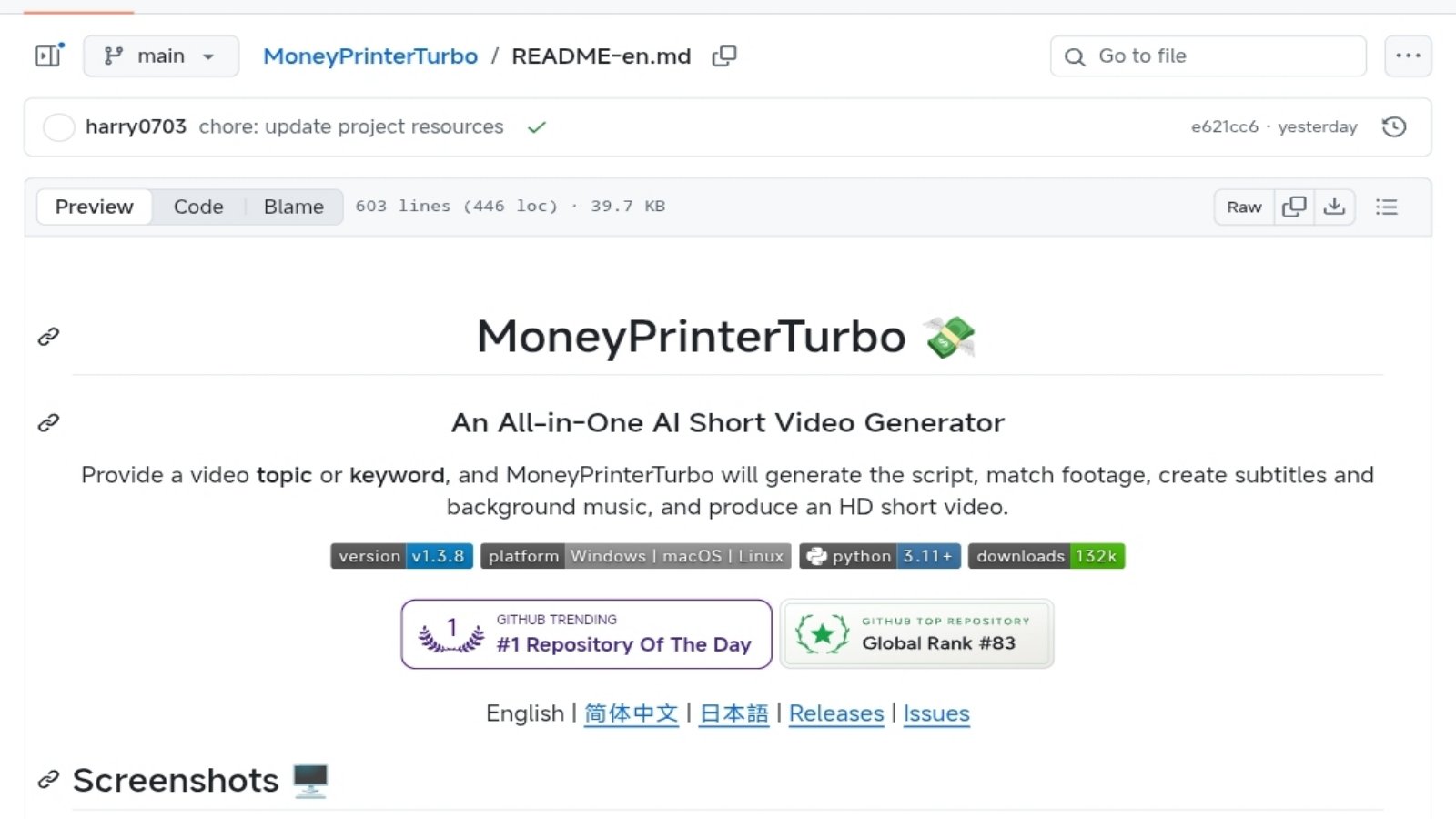
Creating short videos for YouTube Shorts, Instagram Reels, and TikTok can involve several separate tasks: writing a script, finding relevant footage, generating narration, adding subtitles, selecting music, and editing the final video. MoneyPrinterTurbo is an open-source project designed to bring much of this workflow together.
Instead of starting every video from an empty editing timeline, you can provide a topic or keyword and use the software to automate parts of the production process. You can also supply your own script, select different AI providers, adjust video settings, and review generated results before publishing.
This guide explains what MoneyPrinterTurbo does, how its video-generation workflow works, what you need to run it, which features are useful for creators, and what to understand before using it for a regular content-production workflow.
MoneyPrinterTurbo at a glance
- Software type: Open-source AI-assisted video generator
- Main purpose: Automate parts of short-video production
- Input: A video topic, keyword, or custom script
- Output formats: Portrait, landscape, and square video
- Ways to use it: WebUI, API, command line, and documented AI-agent workflows
- Official project: MoneyPrinterTurbo on GitHub
What Is MoneyPrinterTurbo?
MoneyPrinterTurbo is an open-source software project that automates multiple stages of creating short videos. Its documented workflow can connect AI-generated scripts with relevant video materials, narration, subtitles, background music, and video assembly.
The software is intended for creators who want to streamline repetitive production work. It is not simply a text-to-video model that generates every frame from scratch. Depending on the workflow and integrations you choose, it can use stock footage, your own local media, AI-generated assets, or supported external video-generation services.
This distinction matters. The final video depends on the script, selected footage, configured models, narration, and editing choices. Automated assembly can save time, but it does not guarantee that the finished video will be accurate, engaging, or ready to publish without review.
How Does MoneyPrinterTurbo Work?
The easiest way to understand the project is to look at the production process as a series of connected stages.
Not every integration is enabled automatically. Some stages require provider credentials, API configuration, or additional local setup. Review the official documentation for the exact workflow available in your installation.
Key MoneyPrinterTurbo Features
The project's value comes from combining several production tools rather than relying on one isolated feature.
| Feature | What it does | Why it matters |
|---|---|---|
| AI script generation | Creates or rewrites video scripts through supported models. | Reduces repetitive writing work. |
| Custom scripts | Allows creators to supply their own narration text. | Provides more editorial control. |
| Footage selection | Uses supported stock sources, local media, or configured AI integrations. | Connects the script to visual material. |
| Text-to-speech | Supports multiple narration providers and audio options. | Can reduce the need to record every narration manually. |
| Subtitle customization | Adjusts subtitle font, size, color, position, and styling. | Makes captions easier to read and better suited to a channel's style. |
| Background music | Supports local, random, and configured music options. | Adds an audio layer to the finished video. |
| Batch generation | Supports generating multiple video variants or tasks. | Helps with repeatable production workflows. |
| API and CLI | Offers programmatic and command-line workflows. | Useful for developers and automated production systems. |
Which Video Formats Does MoneyPrinterTurbo Support?
The project's documentation describes portrait, landscape, and square output formats. These can be useful for different publishing destinations.
| Format | Documented Resolution | Potential Use |
|---|---|---|
| Portrait 9:16 | 1080 × 1920 | YouTube Shorts, Instagram Reels, TikTok |
| Landscape 16:9 | 1920 × 1080 | Standard widescreen video |
| Square 1:1 | 1080 × 1080 | Square social video layouts |
These are documented output formats, not a guarantee that every input clip will have the same native resolution. Check the settings and output file for the actual dimensions of each generated video.
How to Install MoneyPrinterTurbo
MoneyPrinterTurbo is software you can run in a supported local environment. It is not the same as opening a normal website and immediately receiving a finished video. You need to choose an installation method, configure the required services, and run the project.
The official README documents several approaches. The most suitable option depends on your operating system and how much setup you are comfortable managing.
| Method | Best suited for | Main consideration |
|---|---|---|
| Windows one-click package | Windows users wanting a simpler local trial | Download the correct package from GitHub Releases and follow the included instructions. |
| Docker | Users who prefer an isolated deployment | Docker must be installed and configured. |
| Python with uv | Developers and users comfortable with a terminal | Requires Python 3.11 or later and project dependencies. |
| Command-line interface | Automation and scripted production | Requires a working project environment and configured services. |
| Google Colab | Users who want to try a notebook-based route | Availability, runtime limits, and notebook instructions can change. |
Step 1: Open the official repository
Start with the project repository and read the latest English README before downloading anything.
Open MoneyPrinterTurbo on GitHub
For Windows, look at the project's Releases section for the current one-click package. Make sure you download the actual package described by the project rather than assuming the automatically generated source-code archive includes all startup files.
Step 2: Choose the installation route
Windows users can start with the documented one-click package. macOS and Linux users can follow the local setup instructions or use Docker. The README lists Python 3.11 or later for local deployment.
Do not mix commands from different installation methods without checking the instructions. Each method has its own environment and dependency requirements.
Step 3: Configure the required services
Some workflows need credentials for an AI language model, an online footage source, a speech service, or an AI video provider. The project creates a configuration file on first launch according to its documentation, and the WebUI provides settings for configuring supported services.
Whether you need an API key depends on the providers and features you choose. For example, the README documents Edge TTS as an option that does not require an API key, while several other cloud speech services require provider credentials.
Step 4: Launch the interface
For the documented Docker deployment, the project provides a WebUI at the local address below after the container starts successfully:
http://127.0.0.1:8501
This is a local address on the computer running the service, not a public website that everyone can access. The API documentation is also available locally when the API service is running.
Step 5: Generate a test video
Begin with a simple topic and a short test project. Review the generated script, voiceover, visuals, subtitles, and output file before attempting a large batch of videos.
For exact installation commands, troubleshooting, and current configuration options, follow the official documentation rather than relying on a generic tutorial written for an older version.
What Computer Do You Need to Run MoneyPrinterTurbo?
The project's README recommends Windows 10 or later, macOS 11 or later, or a mainstream Linux distribution. Local deployment requires Python 3.11 or later.
The documented hardware guidance is summarized below. These figures are the project's stated recommendations, not a guarantee of a particular generation speed.
| Component | Minimum | Recommended | Optimal |
|---|---|---|---|
| CPU | 4 cores | 6–8 cores | 8+ cores |
| RAM | 4 GB | 8 GB | 16+ GB |
| GPU | Not required | 4+ GB VRAM | 8+ GB VRAM |
A dedicated GPU is not mandatory for every workflow. If you mainly use cloud-based language models, cloud text-to-speech, and online footage sources, CPU and RAM may matter more than GPU power. Local transcription, heavier processing, and batch generation can benefit from a stronger system.
If you are using a lower-powered laptop, start with one short video and monitor how your system performs. Do not assume that all AI processing runs locally or that every provider has the same hardware requirements.
Does MoneyPrinterTurbo Require API Keys?
Not necessarily for every feature, but many AI and cloud integrations require provider credentials. MoneyPrinterTurbo connects to supported model providers and services, so the setup depends on the workflow you want to use.
| Service Type | What to know |
|---|---|
| AI script generation | Usually depends on the selected model provider or compatible local runtime. |
| Text-to-speech | Edge TTS is documented as not requiring an API key; other supported cloud providers may require credentials. |
| Stock footage | Requirements depend on the selected source and its current access rules. |
| AI video generation | External generation services may require an API key, credits, or a paid plan. |
| Local media | You can use your own images and video files in supported workflows. |
Before connecting a paid service, check its current pricing, free-tier limits, supported models, and billing rules. A provider's free trial or promotional credit should not be treated as a permanent free service.
Is MoneyPrinterTurbo Free?
MoneyPrinterTurbo is an open-source project, but that does not automatically mean every part of a video-production workflow is free.
You may need to account for:
- Cloud AI model usage and API credits.
- Paid text-to-speech or premium voice services.
- External AI video-generation services.
- Computer hardware, electricity, and storage.
- Hosting or infrastructure if you deploy it on a server.
- Commercial licensing or subscription terms for any third-party assets or services you use.
You may be able to reduce expenses by using compatible free options, local resources, your own media, and providers with suitable free tiers. Availability and usage limits can change, so verify the current terms before planning a production budget.
Can You Use MoneyPrinterTurbo to Create YouTube Shorts?
Yes, the project's documented portrait output is suitable for preparing vertical videos for platforms such as YouTube Shorts, Instagram Reels, and TikTok. The README also describes publishing integrations for these platforms.
However, generating a file and successfully publishing it are different tasks. Account permissions, platform rules, API access, and the current publishing integration determine what can be automated.
For a YouTube Shorts workflow, consider these steps:
- Choose a topic that provides genuine value to your intended audience.
- Review the generated script and verify factual claims against reliable sources.
- Choose a suitable portrait format and ensure important text stays readable on a phone.
- Check the footage, narration, subtitles, and background music.
- Remove repetitive sections and fix any incorrect names, dates, pronunciations, or captions.
- Export and review the complete video before uploading.
- Write an accurate title and description, and follow the platform's disclosure and copyright rules where applicable.
Important: A video being generated automatically does not make it original, accurate, or eligible for monetization. The creator is still responsible for editorial quality, rights to the material, and compliance with platform policies.
Is MoneyPrinterTurbo Good for Faceless YouTube Channels?
It can be useful for creators who want to produce videos without appearing on camera. A topic-based workflow can combine narration, visual clips, subtitles, and background music without requiring a traditional on-camera recording for every video.
But a faceless channel still needs a clear editorial identity. If every upload uses generic scripts, predictable footage, and the same narration pattern, the channel may struggle to distinguish itself from similar content.
A more effective approach is to use automation for repetitive production work while keeping human judgment in the parts that matter most:
- Choose topics based on audience needs rather than producing videos simply because automation is available.
- Add original research, examples, commentary, or a distinctive point of view.
- Review whether each visual actually illustrates the narration.
- Use a consistent but readable subtitle and visual style.
- Check analytics and audience feedback before scaling the workflow.
The objective should be to make better videos more efficiently, not to publish the largest possible number of nearly identical videos.
MoneyPrinterTurbo Pros and Cons
| Advantages | Limitations |
|---|---|
| Combines multiple production stages in one workflow. | Initial setup can be technical for beginners. |
| Supports custom scripts and multiple AI providers. | Provider configuration and compatibility may require troubleshooting. |
| Offers portrait, landscape, and square output formats. | Automated editing may need manual refinement. |
| Provides WebUI, API, and command-line workflows. | Not every workflow is equally easy for nontechnical users. |
| Can use local assets and supported footage sources. | Footage relevance, rights, and provider terms still require attention. |
| Can support repeatable or batch production. | Batch generation can also multiply errors if scripts and settings are not reviewed. |
Copyright, Privacy, and YouTube Monetization Considerations
Before publishing a video made with MoneyPrinterTurbo, review the rights and terms associated with every component. This includes stock footage, music, generated voiceovers, images, and any externally generated video clips.
Check footage and music licenses
Do not assume that footage available online is automatically free for every commercial use. Review the license and attribution requirements of the selected source, and keep records where appropriate. The same principle applies to background music and other third-party assets.
Verify AI-generated claims
AI-generated scripts can include incorrect facts, outdated information, invented details, or misleading summaries. Verify names, dates, product specifications, statistics, and other important claims before publishing.
Understand monetization requirements
Using an AI video generator does not automatically disqualify a video from monetization, but it does not guarantee approval either. Platforms assess content under their own policies. Repetitive, mass-produced, minimally transformed, or low-value material may create monetization problems depending on the platform and circumstances.
Creators should review the current YouTube channel monetization policies and the relevant rules for altered or synthetic content before publishing.
Protect API keys and private information
API keys can grant access to paid services or private resources. Store them securely, avoid publishing them in public repositories, and do not include them in screenshots or video recordings. If a key is exposed, revoke or rotate it through the provider's official controls.
Who Should Use MoneyPrinterTurbo?
| User Type | Potential Fit |
|---|---|
| YouTube Shorts creators | Useful for experimenting with repeatable vertical-video production. |
| Faceless video channels | Can help combine narration and visuals without on-camera recording. |
| Developers | API and CLI workflows provide opportunities for automation. |
| Content teams | Batch workflows can help produce and compare multiple video drafts. |
| Complete beginners | May benefit from the simpler documented installation route, but configuration can still take effort. |
If you want a completely hands-off service with no installation, configuration, or provider setup, a hosted video-generation website may be easier. If you want more control over the workflow and are comfortable following technical instructions, MoneyPrinterTurbo is worth exploring.
Frequently Asked Questions
1. What is MoneyPrinterTurbo used for?
MoneyPrinterTurbo is an open-source tool for automating parts of short-video creation, including script preparation, footage selection, narration, subtitles, music, and video assembly.
2. Is MoneyPrinterTurbo free?
The project is open source, but external AI providers, API usage, infrastructure, and some media services may cost money. The total cost depends on your configuration.
3. Does MoneyPrinterTurbo require coding?
Not every workflow requires writing application code, because the project offers a WebUI and documented simpler installation options. However, installation, configuration, or troubleshooting may still require technical skills.
4. Can MoneyPrinterTurbo create YouTube Shorts?
Yes. Its documented portrait output is 9:16 at 1080 × 1920, which is suitable for preparing vertical short-form videos. You should still check the exported file and current platform requirements before uploading.
5. Can I use my own script?
Yes. The project supports custom scripts as well as AI-generated or rewritten scripts, giving you control over the content.
6. Do I need a powerful GPU?
A GPU is not required for every workflow. It can help with local transcription, heavier processing, and batch generation. Requirements also depend on which services run locally versus in the cloud.
7. Does MoneyPrinterTurbo need API keys?
Some workflows need API credentials for AI models, speech providers, or other cloud services. Other options, such as the documented Edge TTS integration, do not require an API key. Check the requirements of each selected provider.
8. Can MoneyPrinterTurbo generate landscape videos?
Yes. The project documents landscape 16:9 output at 1920 × 1080, alongside portrait and square formats.
9. Can MoneyPrinterTurbo publish videos automatically?
The README documents publishing integrations for TikTok, Instagram, and YouTube Shorts. Actual availability depends on the current implementation, account access, configuration, and platform requirements.
10. Will videos made with MoneyPrinterTurbo be monetized on YouTube?
Not automatically. Monetization depends on YouTube's current policies and the originality, quality, rights, and value of the published content. AI assistance alone does not guarantee approval.
11. Where can I download MoneyPrinterTurbo?
Use the official GitHub repository and its Releases section. Read the current README before choosing an installation package.
Final Verdict: Is MoneyPrinterTurbo Worth Trying?
MoneyPrinterTurbo is worth exploring if you want to automate repetitive parts of short-video production while retaining control over scripts, providers, media, and output settings. Its combination of WebUI, API, command-line access, subtitle customization, narration options, and multiple video formats makes it flexible for different workflows.
Its biggest advantage is workflow automation—not a guarantee of viral videos or effortless monetization. You still need good topics, accurate scripts, relevant footage, proper media rights, and a final quality check.
A sensible first test is to install the project using an official documented method, configure the minimum services you need, and generate one short video. Review the result and the actual cost before deciding whether to scale production.
Official Resources
Disclaimer: This article is an independent informational guide and is not affiliated with or endorsed by the MoneyPrinterTurbo project or its contributors. Features, integrations, requirements, and installation instructions may change. Check the official repository and third-party provider terms before installing the software, sharing credentials, or paying for API usage.