

NPS Central Portal 2026: मोबाइल नंबर से Login करके Pension Account कैसे देखें?
Written By Dilshad AhmadPublished: 22 October 2026 • 08:12 AM IST
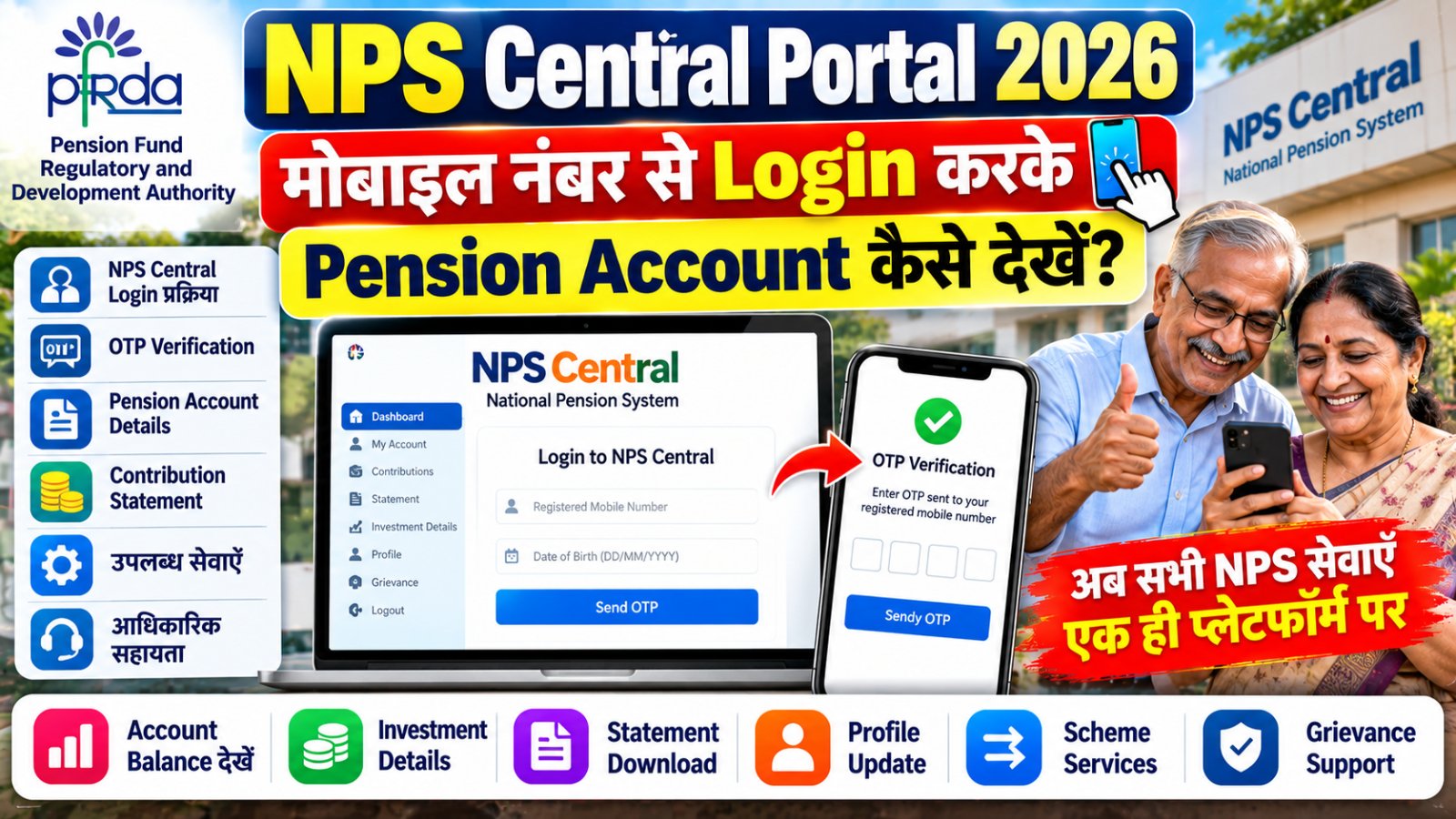
NPS Central Portal 2026: National Pension System (NPS) subscribers के लिए pension account access करना अब आसान बनाने की दिशा में एक नया digital platform पेश किया गया है। Pension Fund Regulatory and Development Authority (PFRDA) ने NPS Central की शुरुआत की है, जिसका उद्देश्य अलग-अलग Central Recordkeeping Agencies (CRAs) की services को एक common interface पर उपलब्ध कराना है। हाल की reports के अनुसार, यह platform 1 October 2026 को NPS Diwas के अवसर पर launch हुआ।
इस guide में जानिए कि NPS Central Login कैसे करें, registered mobile number और date of birth से OTP verification कैसे पूरा करें, pension account और investment portfolio कहां देखें तथा statement और contribution से जुड़ी कौन-सी services मिल सकती हैं।
Pension Services Online
NPS Central Portal 2026
Mobile Number Login • OTP Verification • Pension Account
Official Portal: npscentral.in
NPS Central Portal क्या है?
NPS Central, National Pension System subscribers के लिए बनाया गया एक unified digital platform है। इसका मकसद pension account से जुड़ी जानकारी और कई services को एक जगह से access करने की सुविधा देना है। यह platform तीन Central Recordkeeping Agencies (CRAs)—Protean, KFintech और CAMS—की services को common digital interface पर लाने के लिए तैयार किया गया है।
पहले subscribers को account servicing के लिए संबंधित CRA या अन्य service portals पर जाना पड़ सकता था। NPS Central का उद्देश्य इस process को अधिक सरल बनाना है। हालांकि, हर service की availability और process अलग हो सकती है।
| जानकारी | Details |
|---|---|
| Platform Name | NPS Central |
| Regulator | Pension Fund Regulatory and Development Authority (PFRDA) |
| System | National Pension System (NPS) |
| Reported Launch Date | 1 October 2026 |
| Login Details | Registered mobile number, date of birth और OTP |
| Official Portal | www.npscentral.in |
NPS Central Login 2026: मोबाइल नंबर से Login कैसे करें?
अगर आपका NPS account पहले से बना हुआ है, तो नीचे दिए गए steps follow करके portal पर login करने की कोशिश कर सकते हैं। Website पर दिखने वाले current instructions को प्राथमिकता दें।
अपने mobile या computer के browser में NPS Central Official Portal खोलें। URL ध्यान से check करें और किसी अनजान link से login न करें।
Login page पर मांगा गया mobile number दर्ज करें। वही number इस्तेमाल करें जो आपके NPS account में registered है।
Portal पर मांगी गई Date of Birth सही format में दर्ज करें। गलत details होने पर verification आगे नहीं बढ़ सकता।
Registered mobile number पर OTP आने पर उसे portal में दिए गए field में दर्ज करें। OTP किसी व्यक्ति, caller या message में दिए गए अनजान link के साथ share न करें।
Authentication सफल होने पर उपलब्ध dashboard या account services खोलें। यहां दिखने वाले options आपके account और उस समय उपलब्ध platform features के अनुसार अलग हो सकते हैं।
NPS Account Check: Login के बाद क्या देखें?
Login के बाद dashboard में उपलब्ध services के जरिए pension account और investment से जुड़ी जानकारी देखी जा सकती है। नीचे दी गई table में प्रमुख services का आसान विवरण दिया गया है।
| Service | क्या जानकारी मिल सकती है? |
|---|---|
| NPS Account Details | Dashboard पर उपलब्ध account information और संबंधित details। |
| Investment Portfolio | उपलब्ध NPS accounts और investment portfolio की जानकारी। |
| Contribution Tracking | अलग-अलग payment modes से किए गए contributions की स्थिति, जहां सुविधा उपलब्ध हो। |
| Account Statement | Available statement को देखना या download करना। |
| Scheme Information | Scheme features, returns और applicable charges की तुलना करना। |
| Profile Details | उपलब्ध profile information देखना और supported details update करना। |
| Grievance Support | Platform से उपलब्ध Pension Sahayak या संबंधित grievance channel तक पहुंचना। |
ध्यान दें: Account balance, contribution history या statement की exact display location platform के current layout पर निर्भर कर सकती है। यदि कोई detail dashboard में नहीं मिलती, तो अपने CRA या official NPS support channel से संपर्क करें।
क्या NPS Central पर PRAN की जरूरत नहीं है?
रिपोर्टों के अनुसार, NPS Central पर login करने के लिए registered mobile number और date of birth के बाद OTP authentication का उपयोग किया जा सकता है। इस login process में हर बार PRAN याद रखना आवश्यक नहीं बताया गया है।
लेकिन इसका अर्थ यह नहीं है कि PRAN बेकार हो गया है या आपका पुराना NPS account number बदल गया है। PRAN (Permanent Retirement Account Number) आपके NPS account की महत्वपूर्ण पहचान है। इसे सुरक्षित रखें और account-related official communication में जरूरत पड़ने पर इस्तेमाल करें।
NPS Central पर कौन-कौन सी Pension Services उपलब्ध हैं?
1. Account और Investment Portfolio देखना
Subscribers platform पर उपलब्ध consolidated dashboard के जरिए NPS accounts और investment portfolio से जुड़ी जानकारी access कर सकते हैं। यह सुविधा उन लोगों के लिए उपयोगी हो सकती है जिन्हें अलग-अलग CRA interfaces के बीच जाना पड़ता है।
2. Contribution करना और Status देखना
Platform पर existing schemes में contribution करने और contribution status track करने से संबंधित सुविधाएं बताई गई हैं। Payment करने से पहले amount, account details और transaction confirmation को ध्यान से जांचें।
3. Scheme Comparison
उपलब्ध scheme details, investment performance और charges की तुलना करने में portal मदद कर सकता है। Past returns भविष्य के returns की guarantee नहीं होते। कोई investment choice बदलने से पहले scheme documents और अपने retirement goals पर विचार करें।
4. Statement Download
अगर account statement download का option उपलब्ध हो, तो statement को personal records के लिए सुरक्षित रखें। Public या shared computer पर file download करने के बाद logout करना न भूलें और downloaded document को अनजान लोगों के साथ share न करें।
5. Grievance और Help
Account access, contribution या profile में समस्या होने पर portal पर उपलब्ध grievance option देखें। NPS Central से Pension Sahayak portal का link भी उपलब्ध बताया गया है। Complaint दर्ज करते समय reference number और संबंधित documents सुरक्षित रखें।
6. New Subscriber Registration
नए subscribers के लिए platform पर NPS onboarding, scheme comparison और Pension Fund चुनने से जुड़ी सुविधाएं बताई गई हैं। KYC के लिए CKYC और DigiLocker जैसे options उपलब्ध हो सकते हैं। Registration के दौरान मांगी गई eligibility, declarations और applicable terms को ध्यान से पढ़ें।
NPS Central Login नहीं हो रहा? ये उपाय करें
| समस्या | क्या करें? |
|---|---|
| OTP नहीं आ रहा | Registered mobile number जांचें, network देखें और थोड़ी देर बाद उपलब्ध होने पर OTP दोबारा request करें। |
| Mobile number match नहीं कर रहा | अपने संबंधित CRA या official NPS service channel से registered contact details की पुष्टि करें। |
| Date of Birth गलत बता रहा है | दर्ज की गई date को official account records से मिलाएं। अनुमान से बार-बार details न भरें। |
| Dashboard नहीं खुल रहा | Page refresh करें, browser update करें या कुछ समय बाद फिर प्रयास करें। |
| Account details नहीं दिख रहीं | Account/CRA details जांचें और संबंधित official support से सहायता लें। |
| Statement download नहीं हो रहा | Browser download settings जांचें और आवश्यकता होने पर संबंधित CRA portal से statement access करें। |
NPS Central Official Links और Support
| Purpose | Official Link |
|---|---|
| NPS Central Login | Open NPS Central |
| PFRDA Official Website | Visit PFRDA |
| NPS Trust | Visit NPS Trust |
यदि login, account details या transaction से जुड़ी समस्या बनी रहती है, तो पहले NPS Central पर उपलब्ध Help/Contact options देखें। जरूरत पड़ने पर अपने संबंधित CRA या NPS Trust के official support channel से संपर्क करें। किसी third-party website पर अपना PRAN, OTP या financial details दर्ज न करें।
Online Pension Account Check करते समय Security Tips
- Login के लिए official domain npscentral.in को खुद browser में टाइप करें।
- OTP, PIN, password और sensitive account information किसी के साथ share न करें।
- WhatsApp या SMS में आए संदिग्ध login links से बचें।
- Public computer पर account खोलने के बाद logout करें और personal files हटाएं।
- Investment scheme या Pension Fund बदलने से पहले risks, charges और scheme documents समझें।
- किसी भी payment से पहले beneficiary details और transaction amount verify करें।
Frequently Asked Questions (FAQs)
1. NPS Central Portal क्या है?
NPS Central एक unified digital platform है, जिसका उद्देश्य NPS subscribers को pension account और अन्य संबंधित services एक interface पर उपलब्ध कराना है।
2. NPS Central Login के लिए कौन-सी details चाहिए?
मौजूदा login process के लिए registered mobile number, date of birth और mobile पर प्राप्त OTP की जरूरत बताई गई है। Website पर दिए current instructions follow करें।
3. क्या PRAN के बिना NPS Central में login कर सकते हैं?
रिपोर्टों के अनुसार, NPS Central का mobile-based login process PRAN याद रखने की आवश्यकता को कम करता है। हालांकि, PRAN आपके NPS account की महत्वपूर्ण पहचान बना रहता है।
4. क्या NPS Central पर pension balance देख सकते हैं?
Portal पर account और investment portfolio से जुड़ी जानकारी देखने की सुविधा बताई गई है। आपके account की exact balance या statement details dashboard में उपलब्ध services पर निर्भर करेंगी।
5. NPS Central पर contribution status कैसे देखें?
Login के बाद contribution या transaction से संबंधित उपलब्ध section देखें। यदि कोई transaction नहीं दिखता, तो संबंधित CRA या official support channel से पुष्टि करें।
6. OTP नहीं आ रहा तो क्या करें?
Registered mobile number और network जांचें, फिर कुछ समय बाद OTP दोबारा request करें। समस्या जारी रहने पर official help channel से संपर्क करें। OTP किसी अन्य व्यक्ति को न बताएं।
7. क्या NPS Central पर statement download कर सकते हैं?
Account statement access और download की सुविधा platform पर बताई गई है। उपलब्ध option से statement प्राप्त करें या जरूरत पड़ने पर संबंधित CRA portal का उपयोग करें।
8. NPS Central की official website कौन-सी है?
इस platform का reported official web address www.npscentral.in है। Login करने से पहले address को ध्यान से verify करें।
निष्कर्ष
NPS Central Portal, NPS subscribers के लिए account access और pension-related services को सरल बनाने की दिशा में एक महत्वपूर्ण digital initiative है। Registered mobile number, date of birth और OTP verification के जरिए login करना इसका प्रमुख feature बताया गया है।
अगर आप NPS subscriber हैं, तो official portal खोलकर उपलब्ध account details, contribution tracking और statement services check कर सकते हैं। किसी भी investment decision से पहले scheme information और charges समझें, और account security के लिए OTP या sensitive details किसी के साथ साझा न करें।
Disclaimer: यह article सामान्य informational purpose के लिए है। यह व्यक्तिगत financial या investment advice नहीं है। Account-specific समस्या के लिए संबंधित official NPS service channel से संपर्क करें।