

How to Delete an Instagram Account Permanently (2026 Guide)
Written By Dilshad AhmadPublished: 12 October 2026 • 09:59 PM IST
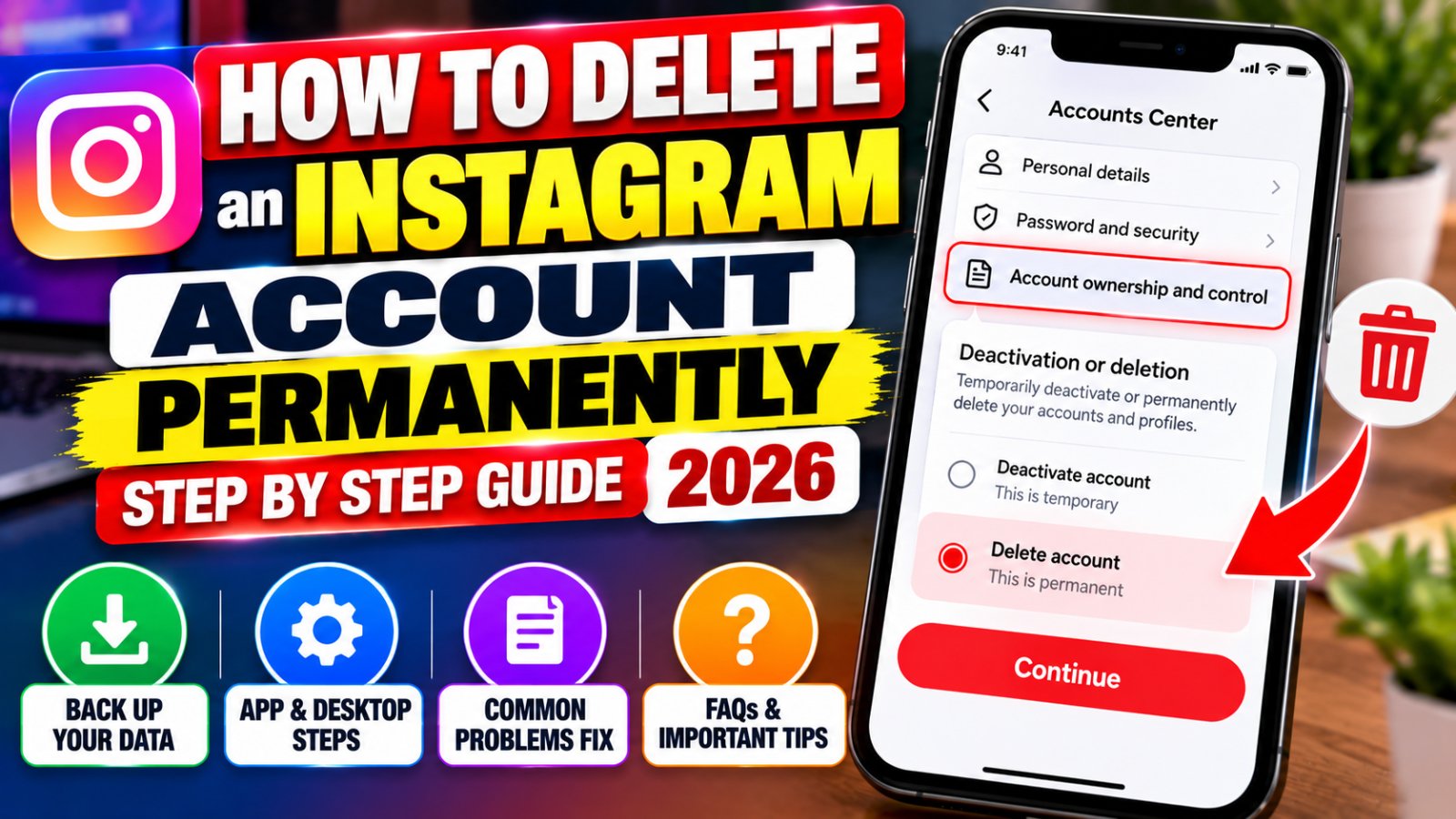
Deleting Instagram is not just a matter of removing an app from your phone. If you want to leave the platform permanently, you need to submit an account deletion request through Instagram's account settings. If you only need a break, temporary deactivation may be the better option.
This guide explains how to delete an Instagram account permanently in 2026, whether you use an iPhone, an Android phone, or a computer. It also covers what happens to your photos and followers, how long deletion takes, what to check before confirming, and what to try if Instagram does not show the deletion option.
Quick answer
Open Instagram and go to Profile → Menu → Accounts Center → Personal details → Account ownership and control → Deactivation or deletion. Select the correct Instagram account, choose Delete account, and follow the confirmation steps. Menu labels may vary slightly by app version or account configuration.
Before you continue, decide which option you actually need.
- Want to leave Instagram for good? Choose permanent deletion.
- Need a break but may return? Choose temporary deactivation.
- Only want Instagram off your phone? Uninstall the app; your account will remain active.
- Want to disconnect Facebook or another linked account? Review the account-linking settings instead of deleting your Instagram profile.
Delete vs. Deactivate: Which One Should You Choose?
Instagram offers two different ways to step away from your account. The important distinction is whether you want your account and its content to remain available for a possible return.
| Feature | Temporary Deactivation | Permanent Deletion |
|---|---|---|
| Main purpose | Take a break | Leave Instagram permanently |
| Profile visibility | Generally hidden while deactivated | Account is scheduled for deletion |
| Photos and posts | Retained for reactivation | Permanently removed after deletion is completed |
| Can you return? | Yes, by reactivating the account | Not after deletion is completed |
| Best choice when | You are uncertain | You have made a final decision |
Practical advice: If your main concern is spending too much time on social media, privacy, or unwanted attention, consider deactivation first. If you are certain you no longer want the account and have saved anything important, permanent deletion is the more appropriate option.
Before Deleting Instagram: Complete These Checks
Many account deletion guides focus only on the menu buttons. However, the more important question is what you might lose access to after the request is processed. Take a few minutes to complete the following checks before proceeding.
1. Download the information you want to keep
Your Instagram account may contain years of photographs, videos, Reels, messages, captions, and other personal information. If you want a personal archive, request a copy of your information before deleting the account.
To find the download controls:
- Open Instagram and visit your profile.
- Open the menu and enter Accounts Center.
- Look for Your information and permissions.
- Select Download your information or the similarly named export option.
- Choose the Instagram profile and information you want to export.
- Follow the prompts to create and obtain your download.
The available options and exact wording may change. Keep your downloaded files somewhere secure and verify that important files open correctly before submitting the deletion request.
Meta explains its information-download and transfer controls in its official guide: Managing your information across Meta's apps.
2. Check how you sign in to other services
If you use Instagram to sign in to another website or service, check that service's account settings before deleting Instagram. If Instagram is the only sign-in method available, you may need to add an email address, password, or another supported login method first.
This is especially important for services where you store purchases, subscriptions, creative work, or personal information. Deleting Instagram should not be treated as a substitute for closing accounts on those separate services.
3. Review business and creator account connections
If you manage a business or creator profile, check whether the account is connected to a Facebook Page, advertising tools, business partners, shopping features, or a professional workflow. Update your contact information and arrange alternative access where needed.
Also update Instagram links on your website, business cards, email signature, and other profiles if you intend to stop using that account.
4. Make sure you can log in
Instagram requires you to authenticate and confirm the deletion request. If you have forgotten your password or lost access to your account, resolve the login problem first. Instagram generally will not delete an account on your behalf simply because you request it through a support message.
How to Delete an Instagram Account on an iPhone or Android Phone
The deletion process is generally similar on iPhone and Android. Instagram manages the request through Accounts Center, although the location of menus and the labels displayed on your screen can vary.
- Open Instagram. Sign in to the account you intend to delete.
- Go to your profile. Tap your profile picture in the app's navigation bar.
- Open the menu. Tap the three-line menu icon near the top of your profile.
- Open Accounts Center. Find the Accounts Center option in the menu.
- Choose Personal details. This option is usually located in the account settings area.
- Open Account ownership and control. This section contains the account deactivation and deletion controls.
- Tap Deactivation or deletion. Instagram may display the accounts or profiles associated with your Meta setup.
- Select the correct Instagram account. Double-check the username and profile picture before continuing.
- Choose Delete account. Do not select Deactivate account if you want permanent deletion.
- Continue through the confirmation screens. Follow any prompts asking for a reason, password, or other confirmation.
- Submit the final request. Read the final confirmation carefully before completing it.
When Instagram offers both deactivation and deletion, select Delete account only if you want permanent removal. The two options are not interchangeable.
If the menu labels on your phone differ from these instructions, use Instagram's official help article to check the current account deletion route: Instagram account deletion and deactivation help.
How to Delete an Instagram Account on a Computer
You do not have to use the Instagram mobile app to request account deletion. You can use a web browser on a laptop or desktop computer.
- Open Instagram's official website and sign in.
- Open the profile or settings menu.
- Go to Accounts Center.
- Open Personal details.
- Select Account ownership and control.
- Choose Deactivation or deletion.
- Select the Instagram account you want to remove.
- Choose Delete account, then continue through the confirmation process.
If the desktop interface looks different, return to the account settings and locate Accounts Center. You can also consult the official Instagram Help Center rather than relying on an unfamiliar third-party deletion link.
How Long Does Instagram Account Deletion Take?
Submitting a deletion request does not mean every part of your account disappears immediately. Instagram provides a cancellation period before the deletion becomes permanent.
The deletion timeline to understand
- Request submitted: Instagram begins the account deletion process.
- During the cancellation period: You may be able to cancel the request by logging back in and following the displayed instructions.
- After approximately 30 days: Instagram states that the account and its information are permanently deleted after the cancellation period. The exact cancellation period may vary by region.
- Back-end deletion: Completing the deletion process can take up to 90 days. Backup copies or information retained for legal, safety, or policy reasons may be handled separately.
These timeframes are based on Instagram's published help information. Read the confirmation screen shown when you submit your request because it contains the applicable details for your account.
Do not rely on a particular calendar date without checking your confirmation. If you may want the account back, keep track of the request date and the cancellation deadline shown by Instagram.
Can You Cancel an Instagram Deletion Request?
If you change your mind while the cancellation period is still available, try signing in to the account through the official Instagram app or website. Instagram may display an option to cancel the pending deletion.
- Open Instagram and sign in to the account with the pending deletion request.
- Read any message about the scheduled deletion.
- If Instagram offers a cancellation option, follow the on-screen instructions.
- Confirm that the account is no longer scheduled for deletion before assuming the request has been cancelled.
If the cancellation option does not appear, consult Instagram's official help information. Do not assume that simply uninstalling the app, changing your password, or removing the account from a phone cancels a deletion request.
Once the deletion has been completed, you should not expect to recover the original account, its content, or its followers.
What Happens to Your Photos, Messages, Comments, and Followers?
Permanent deletion affects more than the profile page. Before confirming the request, understand the likely consequences for the content and connections associated with your account.
- Profile: Your Instagram profile is scheduled for permanent removal.
- Photos and videos: Content associated with the account is removed when deletion is completed.
- Reels and posts: Your published content is included in the deletion process.
- Comments and likes: These are associated with your account and are subject to deletion.
- Followers and following: Your account's follower and following relationships are removed with the account.
- Direct messages: Do not assume that deleting your account will erase copies of messages already delivered to other people. Recipients may still have messages in their inboxes.
- Third-party services: Other websites and apps where you used Instagram to sign in may require separate account or login changes.
There can be differences between removing content from Instagram and removing copies that other people or services already possess. If you have important conversations or files, save what you legitimately need before deletion.
What If Instagram's Delete Account Option Is Missing?
If you cannot find the deletion setting, the problem may be the menu layout, the account you selected, or an authentication issue. Try the following checks in order instead of repeatedly tapping through unrelated settings.
| Problem | What to try |
|---|---|
| Accounts Center is hard to find | Open your profile menu and look through the account settings. Update the app if an update is available. |
| The account selection is confusing | Check the username and profile picture before choosing an account to delete. |
| You cannot confirm deletion | Check your login details and follow the authentication prompts displayed by Instagram. |
| The app does not load the setting | Try signing in through the official Instagram website using a browser. |
| You forgot your password | Use Instagram's official account recovery process before attempting deletion. |
| You suspect your account was hacked | Secure or recover the account through Instagram's official recovery resources before making account changes. |
For account access and recovery, start at Instagram Help Center. Avoid services that claim they can bypass Instagram's security checks or delete an account without the account owner's authorization.
Can You Delete Instagram Without a Password?
Instagram requires appropriate account authentication to submit a deletion request. If you cannot remember your password, first use the official login recovery process and regain access to the account.
If you no longer control the email address or phone number connected to the account, follow Instagram's account recovery guidance. If the account was taken over by someone else, use the official hacked-account recovery route rather than paying a stranger who promises to remove it.
Having the username alone does not establish ownership of an account. This is why legitimate deletion instructions require you to regain access and complete Instagram's security checks.
Can You Reuse Your Instagram Username After Deletion?
You may be able to sign up again with the same username or add it to another account after deletion, provided the username is still available. However, availability is not guaranteed. Another person may claim the username, or Instagram may restrict its reuse in certain circumstances.
If the username is important for your personal identity, business, or brand, do not assume you can automatically reclaim it later. Consider whether temporary deactivation is safer while you decide what to do.
Should You Delete Instagram or Just Uninstall the App?
Uninstalling Instagram removes the app from your device, but it does not delete your Instagram account. Your profile and associated content may remain available according to your account settings.
If notifications, screen time, or distraction are the main problems, you can start with a less permanent change:
- Turn off Instagram notifications.
- Remove the app from your phone's home screen.
- Set a screen-time limit using your device's settings.
- Temporarily deactivate your account if you want your profile hidden while you take a break.
- Delete the account if you have decided to leave permanently and have saved your important information.
The right choice depends on your goal. You do not need to permanently delete an account just to stop using the app for a few weeks.
Frequently Asked Questions
1. How do I delete my Instagram account permanently in 2026?
Open Instagram, go to your profile menu, select Accounts Center, and navigate to Personal details → Account ownership and control → Deactivation or deletion. Select the correct account, choose Delete account, and follow the confirmation steps.
2. Can I delete my Instagram account from my phone?
Yes. You can generally request deletion through Accounts Center in the Instagram app on an iPhone or Android phone. The exact menu labels may differ slightly.
3. How long does Instagram take to delete an account?
Instagram states that the account and information are permanently deleted after the applicable cancellation period, generally 30 days. Completing the deletion process can take up to 90 days, and some backup or legally retained information may be handled separately.
4. Can I recover my account after requesting deletion?
You may be able to cancel the request by signing in during the cancellation period and following Instagram's instructions. After deletion is completed, you should not expect to recover the original account or its content.
5. Will deleting Instagram erase messages from other people's inboxes?
Do not assume it will. Copies of messages you previously sent may remain visible to recipients even after your account is deleted.
6. What happens if I uninstall Instagram instead of deleting my account?
Uninstalling the app removes it from your device but does not permanently delete your Instagram account. Your profile and account data may remain on Instagram.
7. Can I delete Instagram if I forgot my password?
You should first recover access through Instagram's official login recovery process. Instagram requires account authentication to submit a deletion request.
8. Will my Instagram username become available after deletion?
It may become available, but this is not guaranteed. Another person could claim it, and Instagram may restrict username reuse in some circumstances.
9. Should I deactivate Instagram before deleting it?
If you are uncertain about leaving permanently, deactivation is a safer temporary option because it allows you to return. If your decision is final and you have backed up your data, you can proceed with deletion.
10. Is it safe to use a third-party Instagram deletion service?
Use Instagram's official settings and help resources. Avoid services that ask for your password or security codes, promise to bypass account verification, or claim they can guarantee recovery after permanent deletion.
Final Checklist Before You Delete Instagram
Before submitting your request, make sure you can answer yes to the following questions:
- I have selected the correct Instagram account.
- I have downloaded the photos, videos, and information I want to keep.
- I have checked whether any other services depend on my Instagram login.
- I have reviewed important business, creator, and linked-account connections.
- I understand the difference between deactivation and permanent deletion.
- I understand the cancellation period and the consequences of missing it.
- I am comfortable losing access to the original account after deletion is completed.
If all of these checks are complete, open Instagram's Accounts Center and submit the deletion request. If you are unsure about even one of them, take care of it before confirming.
Official Resources
Disclaimer: This guide is for informational purposes and is not affiliated with, sponsored by, or endorsed by Instagram or Meta. Instagram's interface, account settings, and deletion policies may change. Always review the official instructions and confirmation screens before taking action.